How to get feedback on an HTML file
You have a single HTML file: a landing page you built, an email layout, or a page an AI tool wrote. Here is how to get clear comments on it from a client or teammate, without setting up hosting.
Why HTML files are awkward to review
A website has an address you can send. A single HTML file does not, so the usual options are clumsy.
- Email it as an attachment. The reviewer downloads it, opens it from their computer, and may see a broken page if images or fonts live in other files. Their feedback comes back as a list in an email, and you match each point to the page yourself.
- Host it somewhere. Free hosting works, but now you are managing a deploy for a page that only needs a few comments, and you still need a way to collect the feedback.
- Walk through it on a call. Fast for one person, but nothing is written down and nobody else can add to it later.
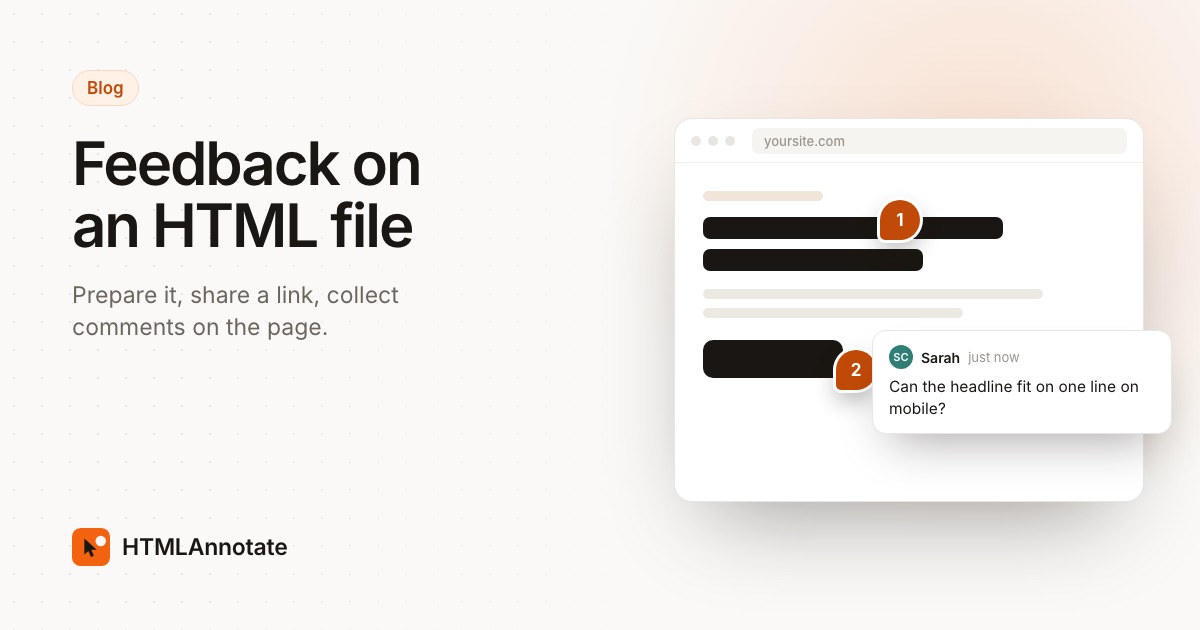
What you want is a link that opens the page as it is, where people can point at the exact heading or button they mean.
Step 1: make the file self-contained
A self-contained file carries everything it needs inside it, so it looks the same on any computer. Check three things before you share it.
- Styles inside the file. CSS should sit in a
<style>tag, not in a separate stylesheet next to the file. - Images that load from anywhere. Either embed them as data URIs, or use full web addresses such as
https://…/photo.jpg. Paths likeimages/photo.jpgwill break once the file moves. - A sensible size. HTMLAnnotate takes files up to 1 MB on Free and 10 MB on Pro and Team. Embedded photos are the usual reason a file gets big, so compress them first.
If an AI tool wrote the page, ask it directly: "Put all the CSS and JavaScript in this one HTML file and use full image URLs." Most tools do this well.
Step 2: upload it and get a review link
Go to htmlannotate.com/new and drop the file in. You get two links back:
- A review link to send to your reviewers.
- A private manage link for you, where you read and sort comments. Keep it to yourself.
The page runs with its own scripts, so menus, sliders and animations work as they would on a real site. Forms on the review copy don't submit anywhere. Reviewers never install anything.
Step 3: send it with a short brief
A one-line brief gets better comments than "thoughts?". Tell people what stage the page is at and what you want them to look at, for example: "Copy and layout are ready for review. Please check the pricing section and the mobile view. Colours are not final."
Step 4: reviewers comment on the page
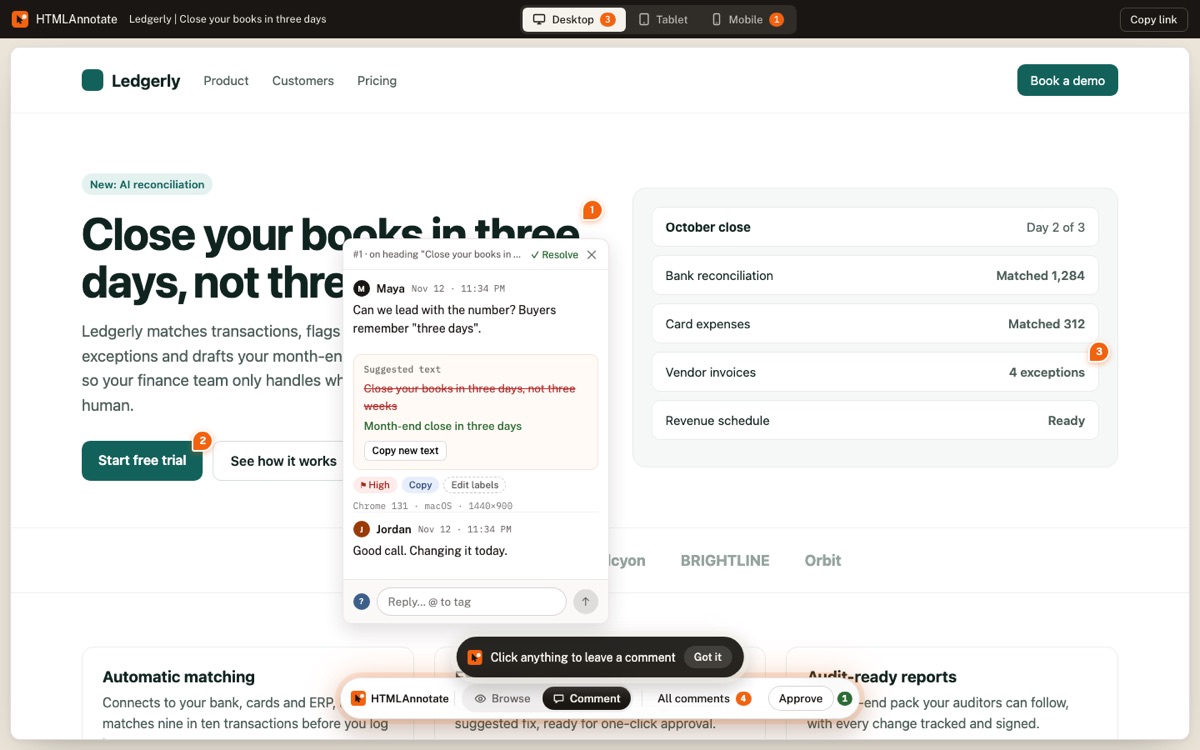
Reviewers open the link, enter their name and email once, and click anything on the page to leave a note pinned to it. They can switch between Desktop, Tablet and Mobile views, and a comment left on the phone layout stays with the phone layout. They can also suggest new wording for a piece of text, which you see in place on the page.
Step 5: read and act on the comments
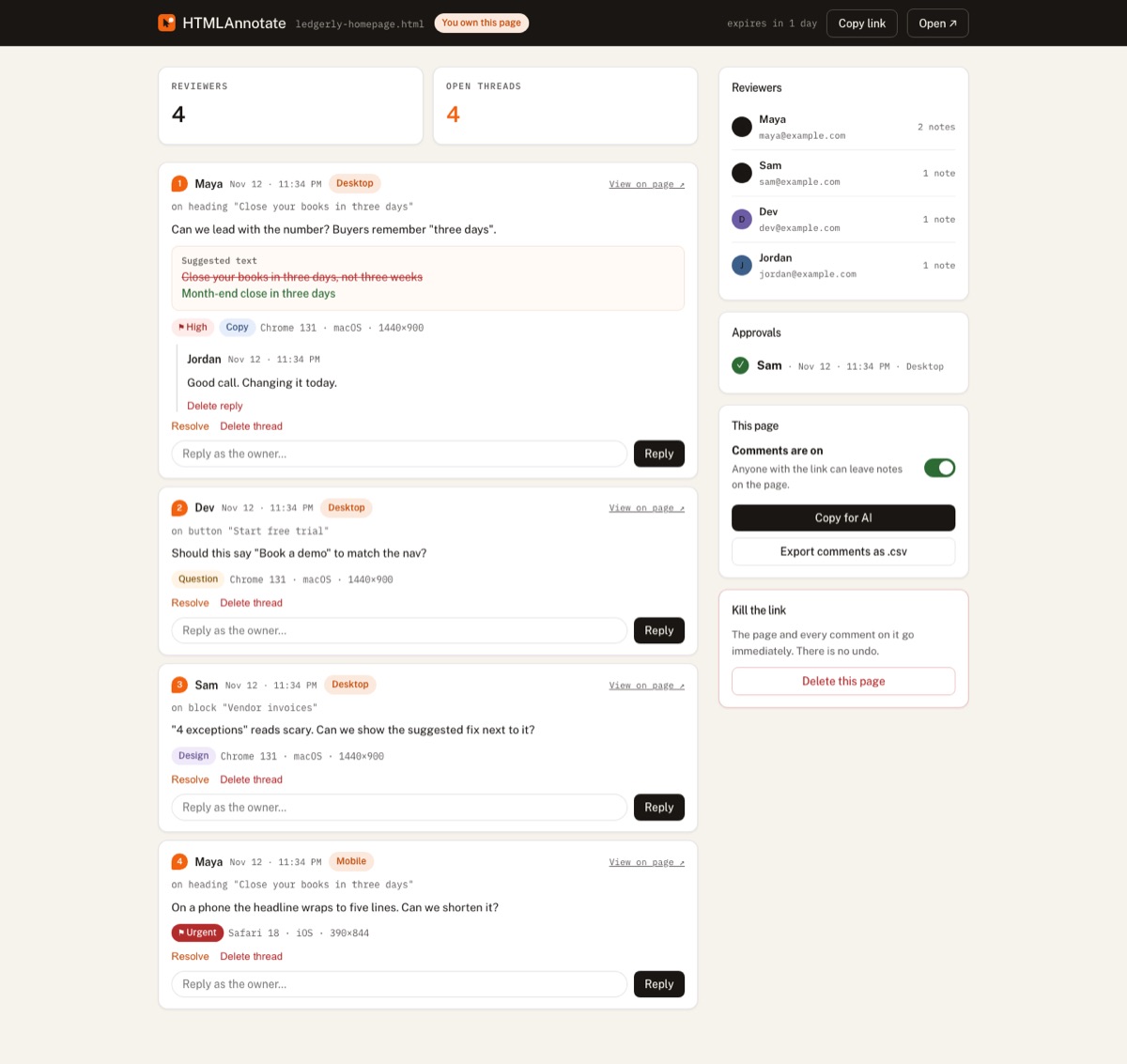
Your manage link lists every comment with where it was left, the screen size and browser, and a screenshot of what the reviewer saw. Reply, mark comments resolved as you fix them, or press Copy for AI to hand the whole list to ChatGPT, Claude or Cursor and ask for the changes.
Step 6: share the next version on the same link
When the changes are done, upload the new file as a new version of the same page. Reviewers keep the same link and see a clean page, while the earlier version keeps its comments to look back at. You can also email everyone who commented that the new version is ready.
Other ways to share an HTML file, compared
| Method | Setup | Comments pinned to the page | Good for |
|---|---|---|---|
| Email attachment | None | No | A quick look from one person |
| Free static hosting, comments by email | A deploy for each change | No | Pages that will go live anyway |
| Screen share on a call | A meeting | No | Talking through big changes |
| Upload to a review tool | Under a minute | Yes | Several reviewers and rounds of changes |
Good to know
- Links without an account last 1 day. A free account keeps them up to 14 days, and Pro and Team keep them for good.
- One file per page. If your page is several files, combine them first, or host the site and share its address instead.
- PDFs work the same way: upload the PDF, and reviewers click any spot on any page to comment.
- If the page loads fonts or scripts from other sites, it still works, and you are told which outside sites it uses.
Questions
Can I just email the HTML file?
You can, but the reviewer has to download it and open it locally, images or fonts that sit in other files will be missing, and their comments come back as text or screenshots that you have to match to the page yourself.
What does self-contained mean for an HTML file?
Everything the page needs is inside the one file: CSS in a style tag, scripts in script tags, and images either embedded as data URIs or loaded from full web addresses. Then the page looks the same wherever it opens.
How big can the HTML file be?
HTMLAnnotate accepts one HTML file up to 1 MB on the Free plan, or 10 MB on Pro and Team. Embedded images count toward that, so compress large photos or load them from a web address.
Do reviewers need an account to comment?
No. They open the link, give their name and email once, and click on the page to comment.
How long does the review link last?
Without an account a link lasts 1 day. With a free account it lasts up to 14 days, and on Pro or Team it never expires.
Can reviewers comment on the mobile layout?
Yes. The review page has Desktop, Tablet and Mobile views, and comments left in one view stay in that view.
Upload an HTML file and get a review link in under a minute. Free, no account needed for reviewers.
Start a free review