Pastel alternatives for agencies and freelancers
Pastel is one of the nicest ways to collect client feedback on a website. Its canvas limits and the jump in price at three people are why some agencies look around. Six alternatives, with prices checked on 13 November 2026.
Why agencies look for a Pastel alternative
Pastel gets a lot right. Clients comment without logging in, nothing has to be installed on the site, and the responsive tester lets people comment on mobile, tablet and desktop views, even on the free plan. When agencies move on, it is usually for one of these reasons.
- Canvas limits. The free plan has 1 active canvas and Pro has 3. Agencies with several client sites in review at once hit that ceiling quickly.
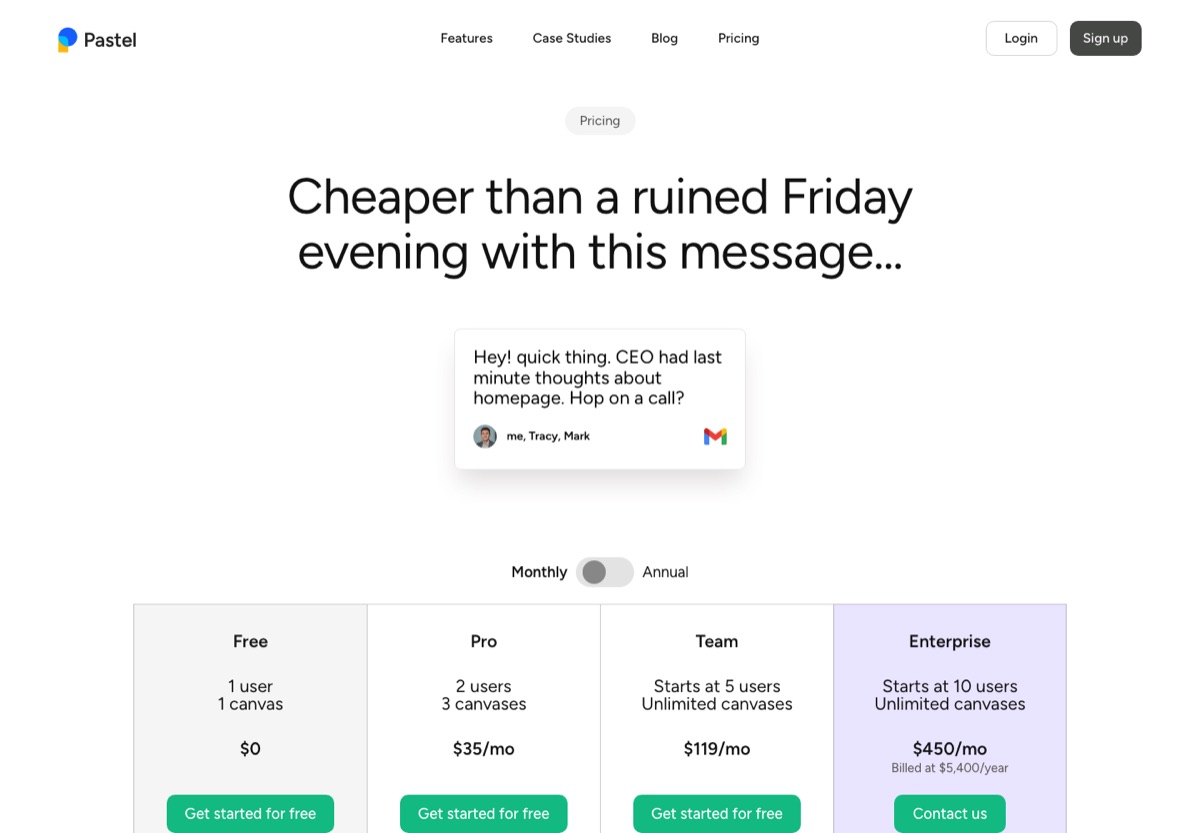
- The price jump at three people. Pro covers 2 users for $35 a month. A third person means the Team plan at $119 a month, which starts at 5 users.
- Paying for file types you don't use. Pastel also reviews images and video. If your work is websites and PDFs, that breadth doesn't save you anything.
What to compare
- How many sites you can have in review at once. Canvas or project limits matter more than the headline price for agencies.
- Cost at your real team size. Check the price for the exact number of people who create reviews.
- Client experience. No account, no extension, nothing to install on the client's site.
- Phone feedback. A way for clients to comment on the mobile layout, kept apart from desktop notes.
1. HTMLAnnotate
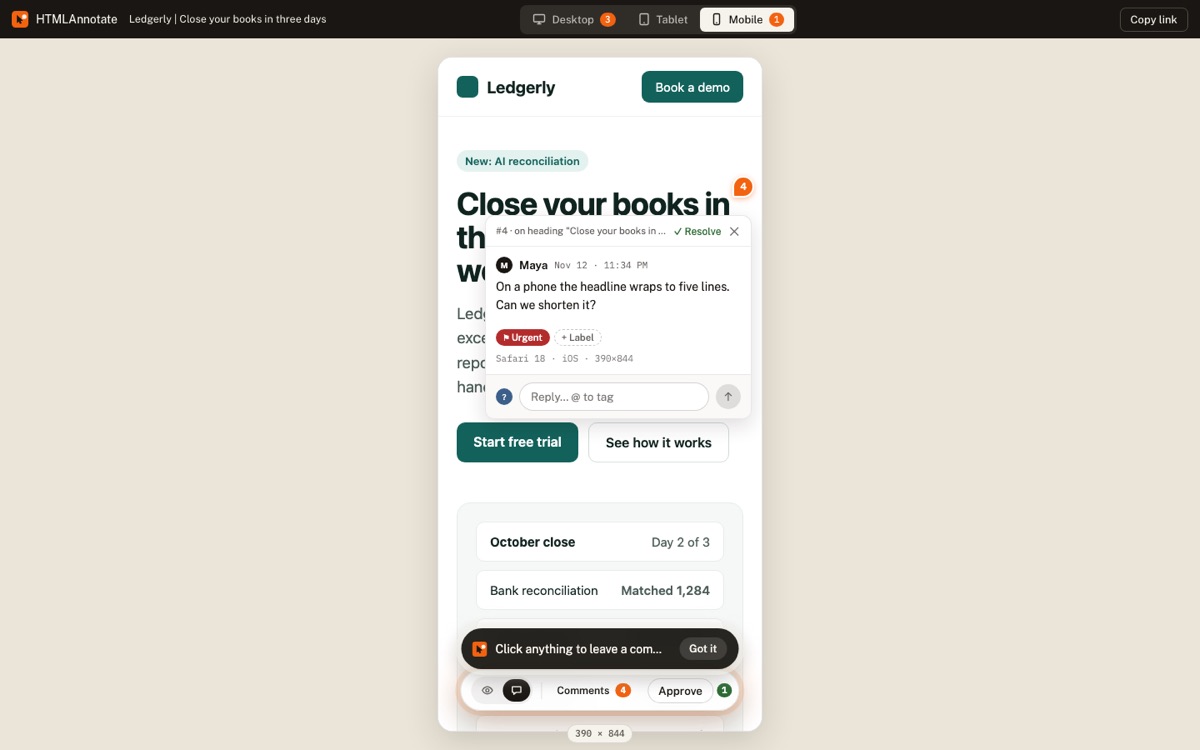
This is our own tool, so weigh this entry accordingly. It works the way Pastel users expect: paste a link or upload an HTML file or a PDF, send the review link, and clients click anything on the page to comment, with no account. Desktop, tablet and phone comments stay in their own views, every comment saves a screenshot of what the reviewer saw, and you can publish a new version on the same link and collect approvals per version.
Price: free for 3 projects with unlimited pages and reviewers, with links that last up to 14 days. Pro is $10 a month ($8 billed yearly) for two people with unlimited projects and links that never expire. Team is $20 a month ($16 billed yearly) for up to 10 people.
Good fit if: you review websites and landing pages for several clients at once and want one flat price. Not a fit if: you also review images or video. HTMLAnnotate vs Pastel in detail.
2. ruttl
The broadest tool for its price. ruttl reviews websites, web apps, images, PDFs and native mobile apps, with live CSS editing and a bug board. Clients can comment as guests, and paid plans include 15 device sizes for responsive review.
Price: a free Basic plan with 1 project, 5 pages and 10 comments. Pro is $18 per user a month ($15 billed yearly), with unlimited projects. Business is priced on request.
Good fit if: you want to replace Pastel and also review PDFs and apps. Watch out for: per-user pricing adds up for bigger teams, and its help pages disagree on whether guests need to log in to comment, so test it with a client first. HTMLAnnotate vs ruttl.
3. Markup.io
Reviews websites and more than 30 file types, including images, PDFs and video, with unlimited users and guests who never sign up. It offers desktop, tablet and mobile previews.
Price: no free plan on its pricing page. Pro is $79 a month for 50 MarkUps, rising to $99 and $129 for more. Business starts at $499 a month. 14-day trial.
Good fit if: a large team reviews many kinds of files and unlimited users matter most. Watch out for: the monthly MarkUp cap. HTMLAnnotate vs Markup.io.
4. BugHerd
Each comment becomes a task on a kanban board, with browser and device details captured, and BugHerd connects to Jira, Asana, Trello, ClickUp, GitHub and Slack. It runs through a script on your site or a browser extension, and guests comment without an account.
Price: no free plan. Standard is $50 a month ($42 billed yearly) for 5 members, Studio $80 ($67 yearly) for 10, Premium $150 ($125 yearly) for 25.
Good fit if: your developers work from a ticket board. Watch out for: installing a script on each client site. HTMLAnnotate vs BugHerd.
5. Marker.io
Bug reports with console logs, network requests and session replay, sent straight to Jira, Trello, Asana or GitHub. Clients report through a widget or a guest link without an account.
Price: no free plan. Starter is $59 a month ($39 billed yearly) for 3 members, Team $199 ($149 yearly) for 15, and an Agency plan at $129 ($99 yearly) for eligible agencies. 15-day trial.
Good fit if: QA and developers need technical detail on every issue. Watch out for: it is built for bug reports rather than design and copy feedback from clients. HTMLAnnotate vs Marker.io.
6. Userback
A widget-based feedback tool with screenshots, video, session replay, surveys and a feature request portal. Reporters never need an account or a seat.
Price: free for 2 sites and 2 seats, with feedback visible for 7 days. Team is $49 a month ($39 billed yearly) for 5 seats, Business $119 ($89 yearly) for 15.
Good fit if: you want client feedback and product research in one place. Watch out for: a widget on every site, and the free plan's 7-day history.
What each tool costs for your team
Monthly billing, the cheapest plan that fits each team size, for the people creating reviews. Reviewers are free in every tool here. Checked on each company's pricing page on 13 November 2026.
| Tool | Free plan | 1 person | 3 people | 10 people |
|---|---|---|---|---|
| Pastel | Yes, 1 canvas | $35 | $119 | $239 |
| HTMLAnnotate | Yes, 3 projects | $10 | $20 | $20 |
| ruttl | Yes, 1 project | $18 | $54 | $180 |
| Markup.io | No | $79 | $79 | $79 |
| BugHerd | No | $50 | $50 | $80 |
| Marker.io | No | $59 | $59 | $199 |
| Userback | Yes, 7-day history | $49 | $49 | $119 |
Pastel's 10-person price is the Team plan plus five extra users at $24 each. Markup.io includes unlimited users but caps MarkUps at 50 a month. Yearly billing lowers most of these by 15 to 35 percent.
Which one should you pick?
- You love Pastel's workflow but need more sites or a third person: HTMLAnnotate.
- You also review images, video and mobile apps: ruttl.
- A big team reviewing many file types: Markup.io.
- Developers fixing issues from a board: BugHerd or Marker.io.
- Staying put: if 2 users and 3 canvases cover your work, Pastel Pro is still a good deal.
Moving from Pastel
- Wrap up open canvases, or export their comments as CSV, which Pastel includes on every plan.
- Paste the same site links into your new tool and create review links.
- Send clients the new links. With a tool that needs no account, nothing changes for them.
- Downgrade Pastel to free once your last canvas is closed.
Questions
How much does Pastel cost?
Pastel Pro is $35 a month, or $29 billed yearly, for 2 users and 3 canvases. Team is $119 a month, or $99 billed yearly, starting at 5 users, with extra users at $24. There is a free plan for 1 user and 1 canvas. Checked on usepastel.com on 13 November 2026.
Does Pastel have a free plan?
Yes. The free plan covers 1 user and 1 active canvas, and includes the responsive tester, approvals and CSV export. Archiving a canvas frees the slot for a new one.
What is the cheapest Pastel alternative?
For one or two people, HTMLAnnotate Pro is $10 a month or $8 billed yearly. For a team of three to ten, HTMLAnnotate Team is $20 a month in total. ruttl is $18 per user a month.
Which Pastel alternative lets clients comment on the phone layout?
HTMLAnnotate keeps desktop, tablet and phone comments apart, ruttl has device sizes on its paid plans, and Markup.io offers desktop, tablet and mobile previews.
Do Pastel alternatives need an extension or a script?
HTMLAnnotate, ruttl and Markup.io work from a shared link with nothing to install. BugHerd, Marker.io and Userback use a script on your site or a browser extension.
Try HTMLAnnotate on a client site. Free for 3 projects, and reviewers never need an account.
Start a free review