How to get client approval on a website
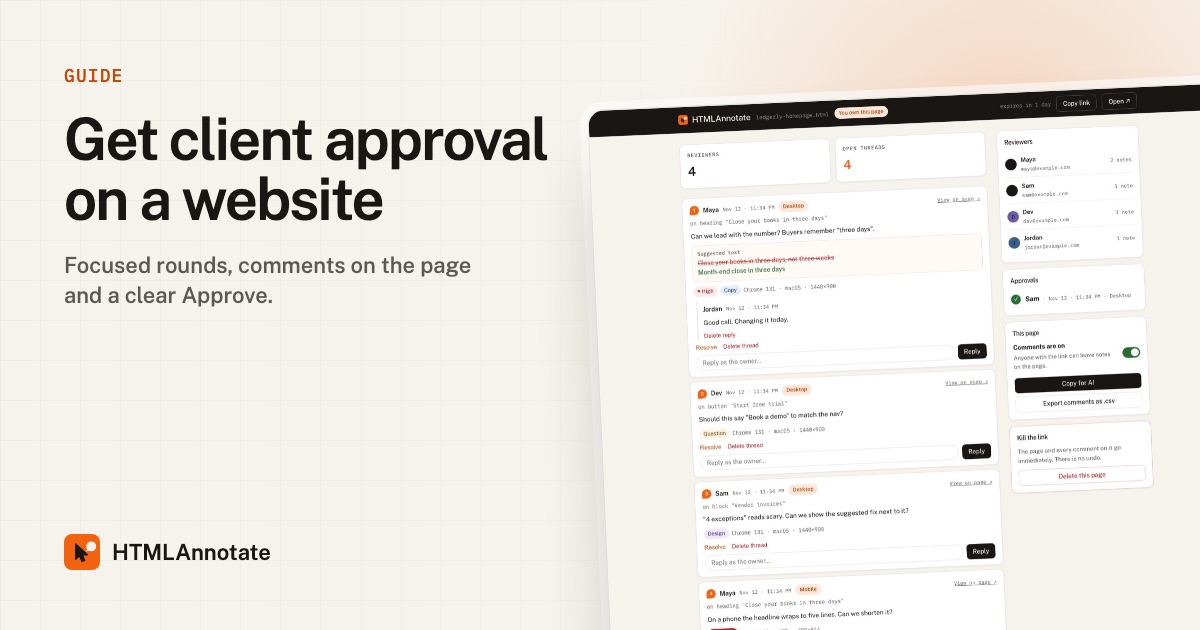
Approvals stall when feedback is scattered and nobody is sure what "looks good" referred to. This guide is a process for agencies and freelancers that gets clear sign-off in fewer rounds.
Updated 12 November 2026 · by the HTMLAnnotate team
Why approvals drag on
- Unclear scope. Clients do not know when they are being asked to approve versus brainstorm.
- Too many voices, too late. A senior stakeholder appears in round four with new opinions.
- No single source of truth. Feedback lives in emails, calls and chat, and some of it contradicts itself.
- Ambiguous yes. "Looks great!" on a call is not the same as approving the final page.
Agree the rounds up front
Set expectations in your proposal or kickoff. A simple structure:
- Round 1, structure and message: layout, sections, headline direction.
- Round 2, design and copy: visual details and final wording.
- Round 3, final check: typos, links, phone layout, then sign-off.
Say how long each round lasts (for example three working days) and who on the client side must review.
The approval process
- Share one review link per round. Import the page into HTMLAnnotate and send the link. The client needs no account.
- Tell them what kind of feedback you need this round. Use the emails below.
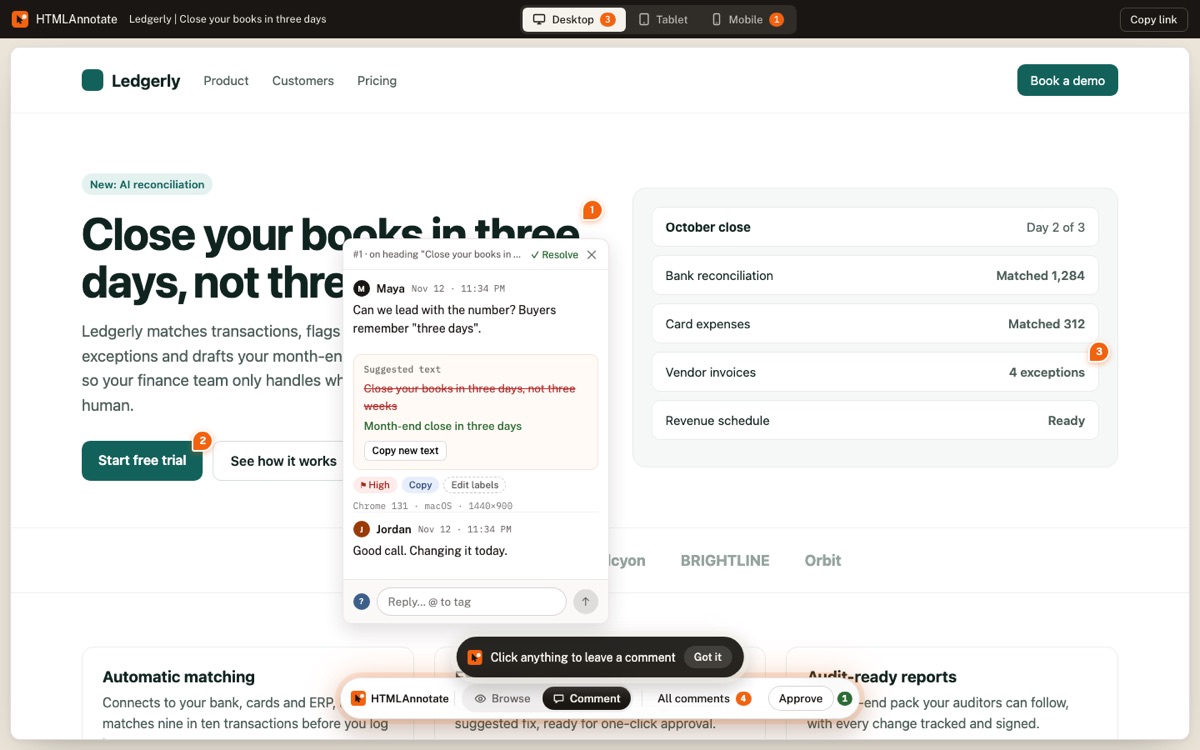
- Collect comments on the page. Every note is pinned to an element and numbered, with separate comments for desktop, tablet and phone.
- Reply and resolve as you fix. The client sees progress without asking.
- Ask for an explicit Approve. In the final round, every required reviewer presses Approve. You see who approved, when, and on which view.
Emails you can copy
Round 1: structure
Hi {name},

Here is the first draft of {page}: {review link}

This round is about structure and message, not final
design. Click anything to comment. Most useful:
- Is anything important missing?
- Is the order of sections right?
- Does the headline describe what you do?

Please leave comments by {date}.
Final round: sign-off
Hi {name},

The final version of {page} is ready: {review link}

All earlier comments are resolved. Please check it on
your phone as well as your computer, then press
Approve at the bottom if you are happy for it to go
live. If anything is still wrong, comment on it.

We will launch on {date} once approved.
Handling several stakeholders
- Agree one decision maker who resolves conflicts.
- Invite everyone who must approve in round 1, not round 3.
- When two comments disagree, tag both people with @ in the thread and ask them to decide there.
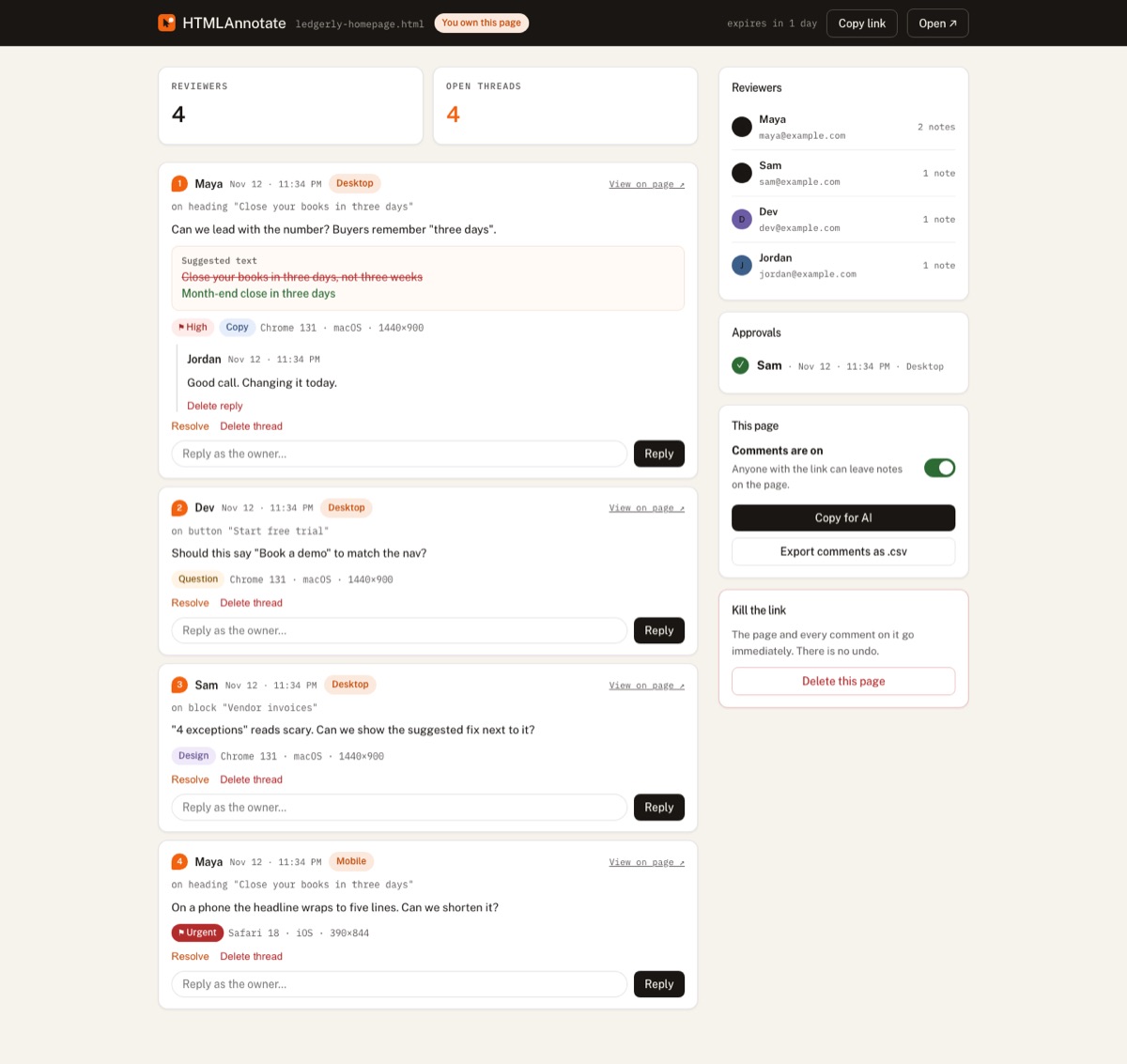
- Ask each required stakeholder to approve separately. The manage page lists every approval.
Keep a record of sign-off
An approval should be easy to find later. In HTMLAnnotate, approvals show the person, the date and time, and the view they approved on. On Pro and Team, review links never expire, so the record stays available. You can also export comments as a CSV for your project files.
A simple two-week timeline
| When | What happens |
|---|---|
| Day 1 | Share round 1 link. Focus: structure and message. |
| Day 4 | Round 1 deadline. Reply to every comment, agree changes. |
| Day 5 to 7 | Build design and final copy. |
| Day 8 | Share round 2 link. Focus: design details and wording. |
| Day 10 | Round 2 deadline. Resolve comments. |
| Day 12 | Share final link. Focus: phone check, typos, links. Ask for Approve. |
| Day 14 | Approved. Launch. |
Adjust the days to the size of the project, but keep the shape: a clear focus for each round, a deadline, and a final round that ends with an explicit approval.
Write comments clients can act on
Approval is a conversation, so your replies matter as much as the client's comments. Keep replies short and specific: what you changed, or why you did not. "Done, the headline now reads Month-end close in three days" is better than "fixed". When you push back, give the reason and an alternative, so the client can decide quickly instead of starting a long thread.
Check the phone before approval
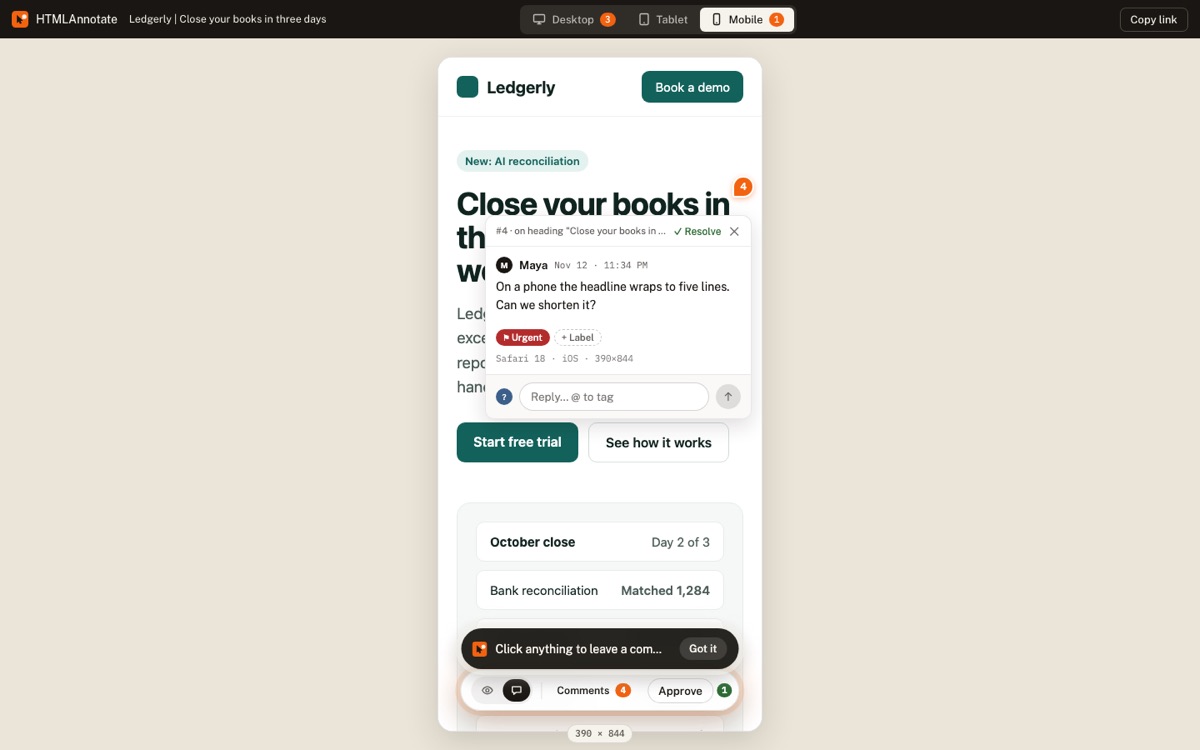
Clients often approve on a laptop, then open the live site on their phone and find problems. Make the phone check part of the final round. HTMLAnnotate keeps phone comments separate from desktop ones, so you can see at a glance whether anyone has reviewed the mobile layout.
Handling new requests mid-project
Some comments are not feedback; they are new work. "Can we add a careers page?" in round three is a scope change. Handle it calmly:
- Reply in the thread: "Good idea. This is outside this round, so I will quote it separately."
- Label it so it is easy to collect later. A label like Idea works well.
- Resolve it in this round once you have replied, so it does not block approval.
When a client goes quiet
Silence is the most common approval problem. Prevent it with a clear deadline in every request, then follow up:
Gentle follow-up
Hi {name},

Just checking in on {page}: {review link}

If it is easier, a quick Approve is all we need to move
to launch on {date}. If anything needs changing, a comment
on the page is perfect.

Thanks!
If the deadline passes, agree in your contract what happens next. Many studios treat no response after a set number of days as approval for that round.
After approval: launch
- Turn comments off for the approved version from the manage page, so nobody adds notes to a page that is already signed off. Existing comments are kept.
- Publish to the real domain.
- Check the live site once more on a phone and a laptop.
- Send the client a short note with the live link and a summary of what changed in each round.
Common mistakes
- Approving in calls. Always follow up with the review link and ask for the Approve button.
- Letting rounds blur. Use a new link for each round so it is clear which comments belong to which version.
- Hiding disagreements. If you think a requested change is a mistake, say so in the thread with your reasoning. Clients usually appreciate it.
- Forgetting the people who were not on the call. Make sure every required stakeholder has the link and a deadline.
Questions
Does my client need an account to approve?
No. They give a name and email once, then comment and approve.
Can a client take an approval back?
Yes. Pressing Approve again removes it, and the manage page updates.
Can several people approve the same page?
Yes. Each reviewer approves separately and you see the full list.
How many rounds should I offer?
Most small projects work well with three: structure, design and copy, final check.
Can I turn comments off after approval?
Yes. Each page has a comments on/off switch on its manage page. Existing comments are kept.
Try it on a real page. Free, and your reviewers never need an account.
Import a page