How to get feedback on a website
Most website feedback arrives as screenshots, vague emails and "the button near the top". This guide is a calmer process that gets you clear, specific notes you can act on, whether you are a designer, a marketer or a founder.
Updated 12 November 2026 · by the HTMLAnnotate team
Why website feedback goes wrong
Website feedback usually fails for three reasons, and none of them is about the reviewer. They are about the format.
- No location. "The photo looks off" could mean any of twelve photos. You spend more time working out what a note refers to than fixing it.
- No device. Someone reads your site on their phone, writes "the menu is broken", and you test it on a laptop where it works fine.
- Too many channels. Notes arrive by email, Slack, WhatsApp and a PDF with arrows drawn on it. Some contradict each other and nobody knows which is current.
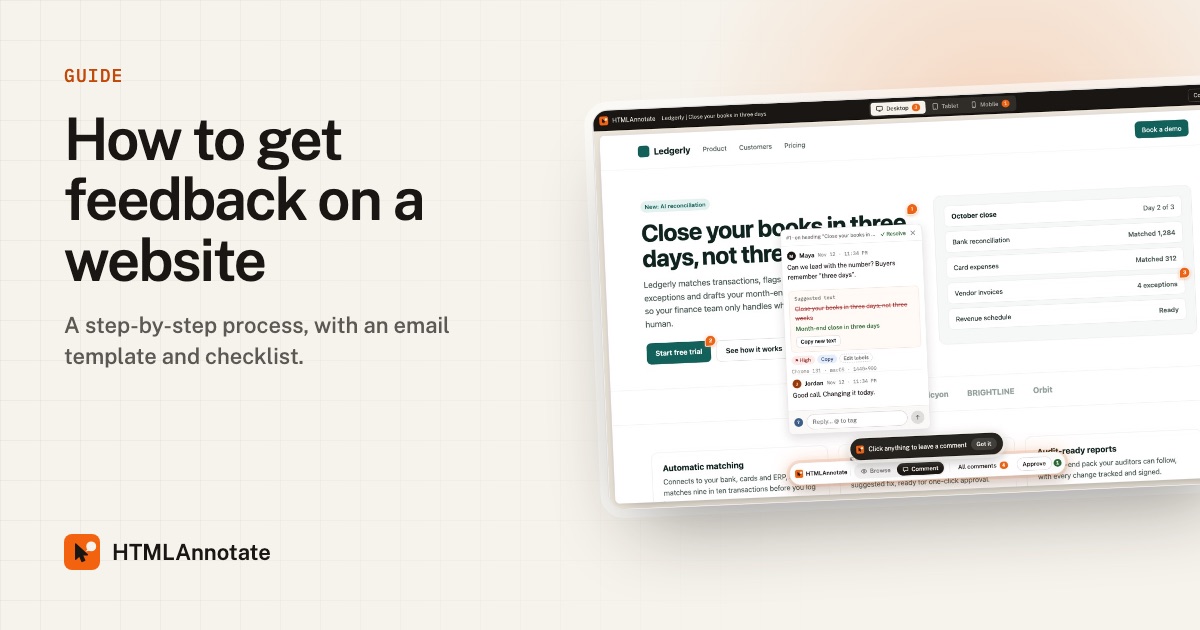
The fix is not a better email. It is putting the comments on the page itself, where every note is attached to the thing it is about and records the screen it came from.
Before you ask for feedback
Ten minutes of preparation saves days of back and forth. Before you share anything, decide:
- What stage this is. Early layout? Final copy? Pre-launch check? Say so, or people will comment on fonts when you wanted feedback on structure.
- Who needs to review it. Usually fewer people than you think. One decision maker, one person close to the customer, and whoever owns the content.
- What you want them to look at. Three focused questions get better answers than "thoughts?"
- The deadline. "By Thursday at 5pm" gets responses. "When you get a chance" does not.
The process, step by step
- Put the page somewhere reviewers can open it. A live URL or a staging link both work, as long as it opens without a login. If you only have an HTML file, that works too.
- Create a review link. Paste the address into HTMLAnnotate, or upload the file. You get a link that opens the page with a comment layer on top. Nothing is installed on your site.
- Send the link with clear instructions. Use the email template below. Reviewers do not need an account; they give a name and email the first time they comment.
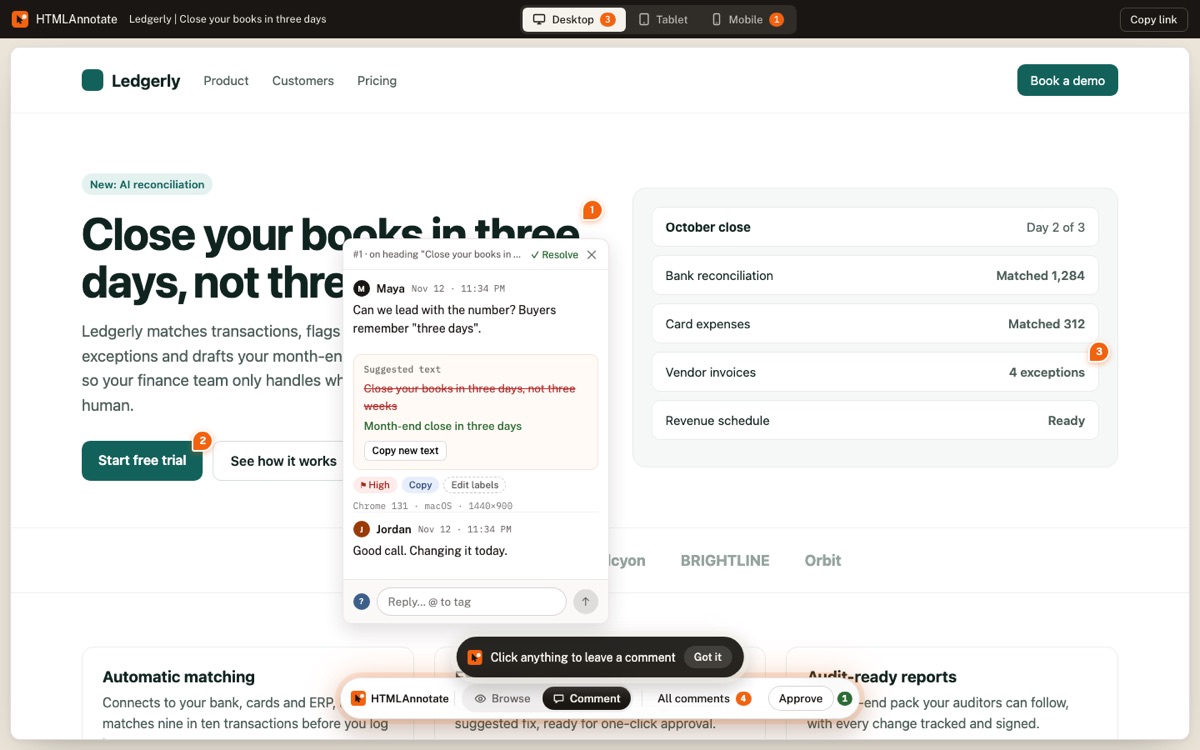
- Let people click and comment. Reviewers click the heading, image or button they mean and type. Each comment is pinned and numbered on the page, so there is never any doubt about what a note refers to.
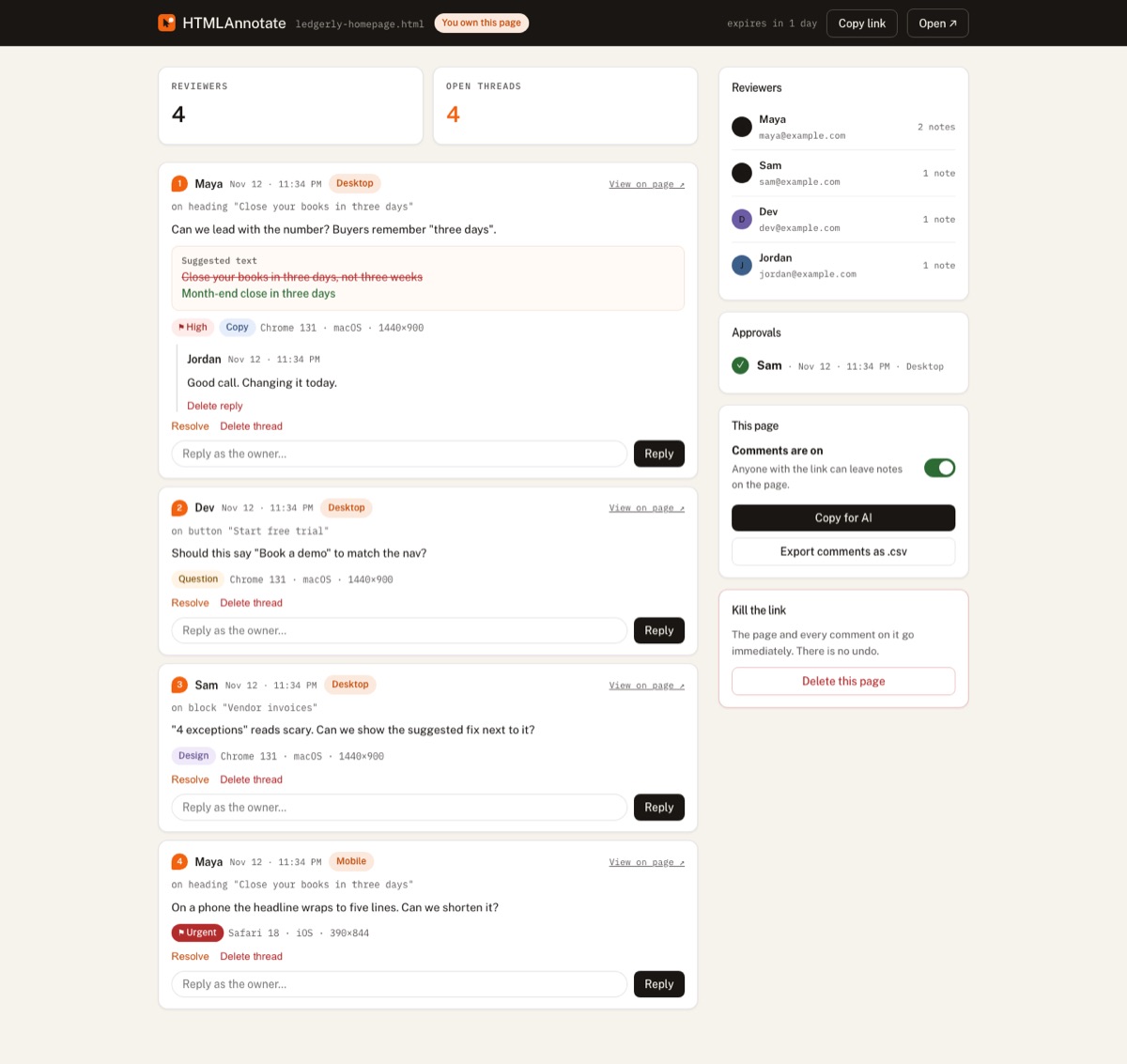
- Reply and resolve in the thread. Answer questions where they were asked. Tag people with @ when you need their input; they get an email. Resolve each comment when it is done so everyone can see progress.
- Ask for sign-off. When the page is ready, reviewers press Approve. You get a record of who approved, and when, in one place.
A request email you can copy
Feedback request template
Subject: Quick review: {page name} by {day}

Hi {name},

The {page name} is ready for review: {review link}

Click anything on the page to leave a comment. No account
needed. It would help most to hear about:

1. Does the headline say what we do in one read?
2. Anything that feels unclear or missing?
3. Please check it on your phone too.

If it looks good, press Approve at the bottom.
Could you take a look by {day, time}?

Thanks,
{your name}
What good feedback looks like
You can raise the quality of feedback by showing people what useful looks like. A good comment is specific, attached to one element, and says what should change.
| Vague | Useful |
|---|---|
| "The top part feels off." | Pinned on the headline: "Can we lead with the number? Buyers remember three days." |
| "Make it pop more." | Pinned on the button: "This blends into the background. Try the brand green?" |
| "Change the copy." | A suggested text edit with the exact new wording. |
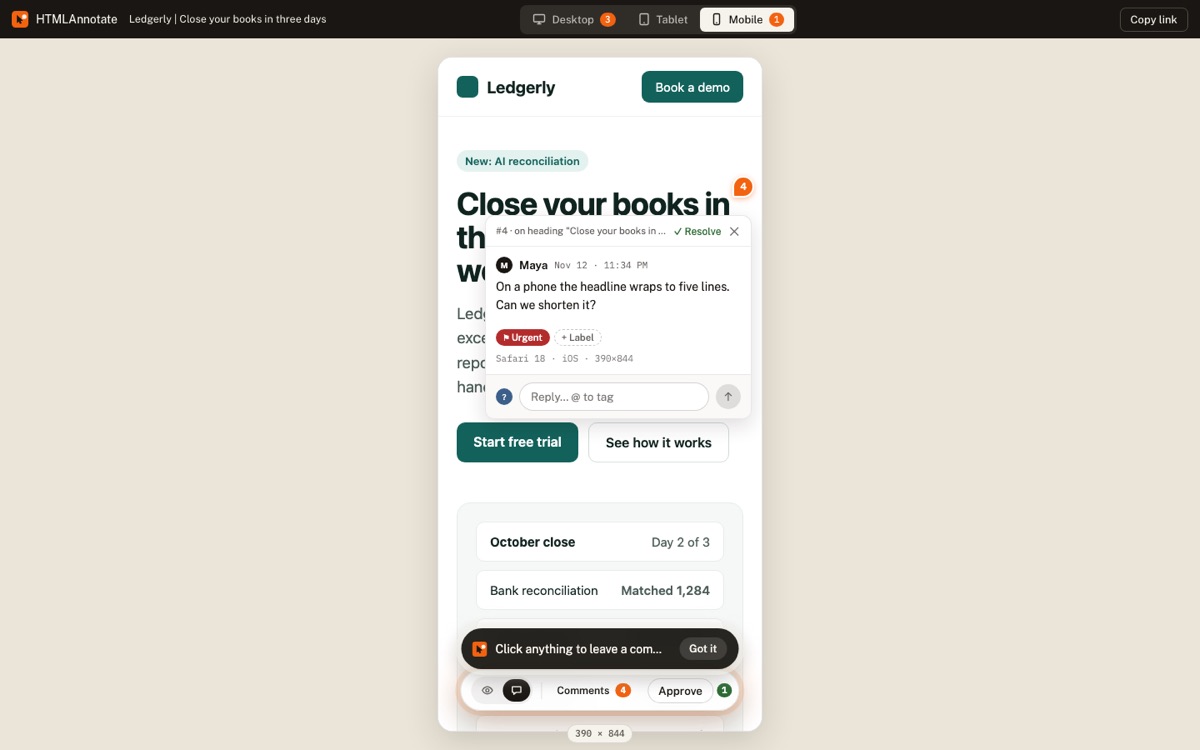
| "It is broken on mobile." | Left in Mobile view: "The headline wraps to five lines on my phone." |
In HTMLAnnotate, reviewers can suggest a text change directly. You see the old and new wording side by side and can copy the new text in one click. Labels such as Copy, Design and Bug, and a priority from Low to Urgent, help you sort feedback before you start fixing.
Do not skip the phone
More than half of web traffic comes from phones, and phone layouts are where most problems hide: headlines that wrap too much, buttons pushed below the fold, menus that do not open. Ask every reviewer to check the mobile version at least once.
HTMLAnnotate has Desktop, Tablet and Mobile views on every review link, and each view keeps its own comments. A note left in Mobile view only shows on the phone layout, so it never gets "fixed" on desktop by mistake.
After the feedback comes in
- Read everything once before changing anything. Look for patterns. Three people tripping over the same sentence matters more than one strong opinion.
- Sort. Use labels and priority to separate must-fix from nice-to-have.
- Reply to disagreements in the thread. Explain your reasoning where the comment is, so the discussion stays attached to the element.
- Hand off to whoever builds it. On the manage page, Copy for AI turns open comments into a clear brief you can paste into ChatGPT, Claude or Cursor, or give to a developer. You can also export every comment as a CSV.
- Close the loop. Resolve comments as you fix them and share the link again for a final check.
A worked example
Here is how this looks on a real project. A two-person studio is redesigning the homepage for a finance software company. The client has a head of marketing, a CEO and a product lead.
- On Monday the studio publishes the draft to staging, creates a review link and sends the template email to all three, with a Thursday deadline and three focus questions.
- By Wednesday there are 14 comments. The head of marketing suggests new headline wording with a text edit. The CEO leaves two comments in Mobile view about the hero wrapping. The product lead flags an incorrect integration name.
- The studio labels everything, marks the integration name as Urgent, replies to one comment it disagrees with, and tags the CEO with @ to confirm the headline choice.
- On Friday the studio copies the open comments for AI, makes the changes, resolves every thread and shares the link again. On Monday all three reviewers press Approve. One link, one week, no screenshots.
Common mistakes
- Sharing too early or too late. Too early and people comment on unfinished text. Too late and big changes are expensive.
- Asking everyone. Ten reviewers produce contradictory notes. Pick the few whose opinion actually decides things.
- Mixing rounds. Keep one review link per round so old comments do not confuse new reviewers.
- Not saying what you need. Without focus questions you get font opinions instead of answers about the message.
- Forgetting sign-off. Without an explicit approval, "looks good" in a hallway becomes "I never agreed to that" a week later.
Questions
Do reviewers need to install anything?
No. They open the link in any browser and click to comment. There is no extension and nothing is added to your site.
Can I collect feedback on a staging site?
Yes, as long as the staging address opens without a password or login. Pages behind a login cannot be imported yet.
How many people should review a page?
Usually two to four: a decision maker, someone close to the customer and whoever owns the content.
How do I get feedback to my developer?
Use Copy for AI to turn open comments into a brief, or export every comment as a CSV with the element each one is pinned to.
Is it free?
Yes. HTMLAnnotate is free for up to 3 projects with unlimited pages and reviewers, with links that last up to 14 days. Pro keeps links forever.
Try it on a real page. Free, and your reviewers never need an account.
Import a page