
Website feedback in your inbox
Email alerts are on for every account, Free included. Choose which ones you get, and see which emails the people you share pages with receive.

What you get
Emails you can get. Switch each one on or off.
- New comments
One email per page, at most every 10 minutes, with all the new comments.
- Approvals
Sent as soon as a reviewer presses Approve.
- Quiet review reminder
One email if nobody has commented 3 days after you share a page.
- Tips
Three short tips in your first 10 days. Nothing else.
Set it up
Connect Email in 3 steps.
- 1
In HTMLAnnotate, open Integrations, then Email, or open your Profile.
- 2
Switch each email on or off: new comments, approvals, the quiet review reminder and tips.
- 3
Emails go to the address you sign in with.
Emails about your account, payments and team invites always go out.
Open Integrations in the app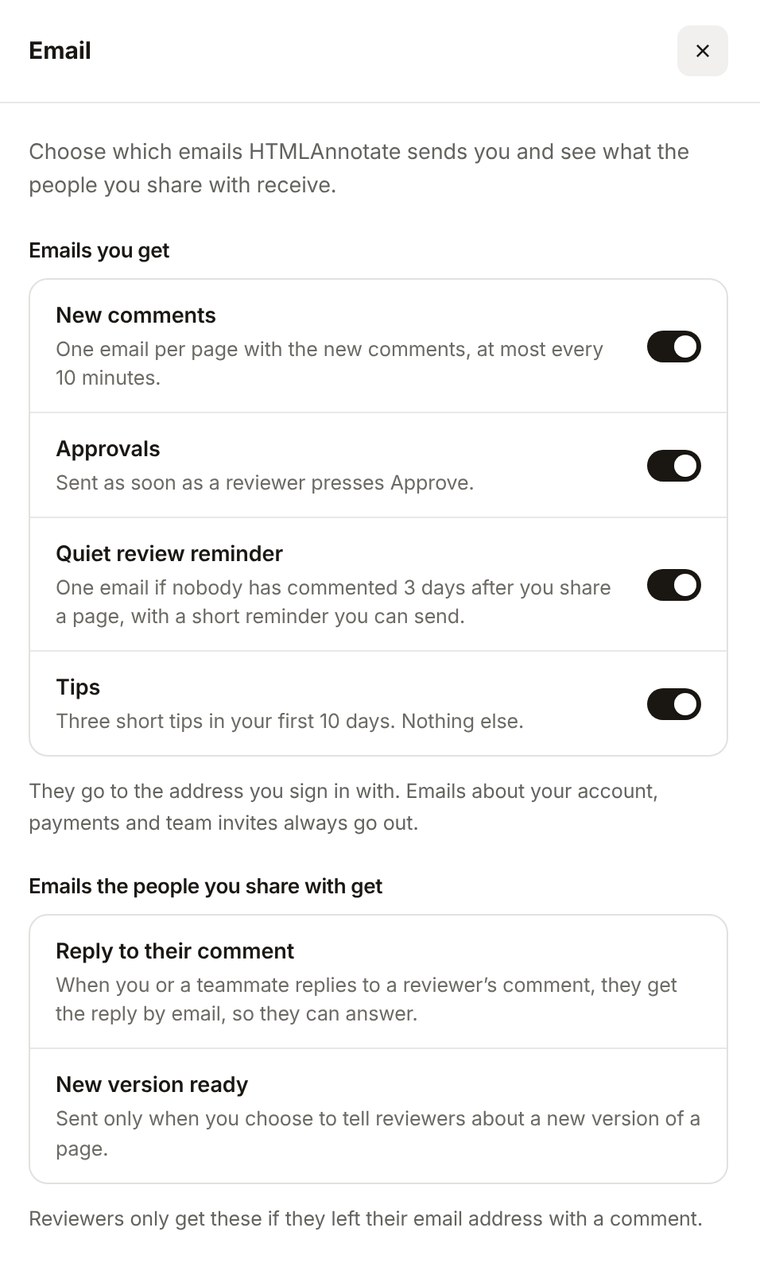
Email questions.
Pro is $15 a month, or $12 a month billed yearly. Team is $40 a month for 5 people, or $32 billed yearly.
See pricingHow often do comment emails come?
At most one email per page every 10 minutes, with all the new comments in it.
What is the quiet review reminder?
If nobody has commented 3 days after you share a page, you get one email with a short reminder you can copy and send to your reviewers.
What do my reviewers get?
Only two emails: a reply to their comment when you or a teammate answers it, and a note about a new version when you choose to tell them. They only get these if they left an email address with a comment.
More integrations
Works with the rest of your tools. Connect as many as you like.


Pin feedback to the page. Send it to Email.
Free to start. Integrations are on Every plan.