

Trigger n8n workflows from website feedback
Point HTMLAnnotate's webhook at n8n's Webhook node, and every new comment, reply or approval can run a workflow on n8n cloud or your own server.

What you get
What n8n receives. Every comment event, ready to use in your next step.
- New comments
With the comment number, the screen size, the element it is pinned to and the comment itself.
- Replies
When you, a teammate or a reviewer answers a comment.
- Resolved comments
When a comment is marked done.
- Approvals
When a reviewer approves a version of the page.
- Change requests
When a reviewer asks for changes instead of approving.
Set it up
Connect n8n in 4 steps.
- 1
In n8n, start a workflow with the Webhook node, set the method to POST and copy the production URL.
- 2
In HTMLAnnotate, open Integrations, then Webhooks. Paste the URL and press Save.
- 3
Activate the workflow in n8n.
- 4
Leave a comment on one of your pages to see the data arrive, then add your next nodes.
A self-hosted n8n must be reachable over https from the internet for messages to arrive.
Open Integrations in the app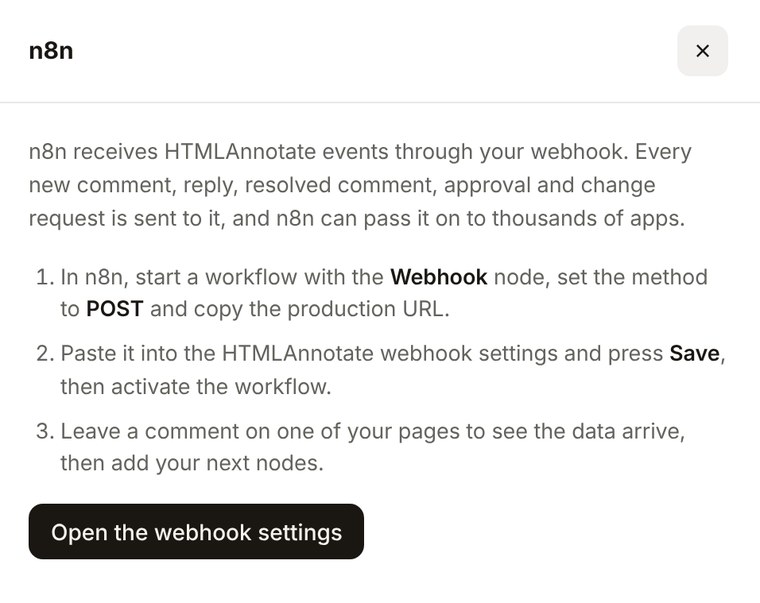
n8n questions.
Pro is $15 a month, or $12 a month billed yearly. Team is $40 a month for 5 people, or $32 billed yearly.
See pricingDoes it work with self-hosted n8n?
Yes, as long as the production webhook URL is reachable over https from the internet.
How do I check messages are from HTMLAnnotate?
Use a Crypto node to make an HMAC SHA-256 of the body with your signing secret and compare it with the x-htmlannotate-signature header.
Test URL or production URL?
Use the production URL and activate the workflow. The test URL only listens while you are testing in the editor.
More integrations
Works with the rest of your tools. Connect as many as you like.
 SlackPost new comments and approvals to a Slack channel.Pro and Team
 JiraTurn any comment into a Jira issue with one click.Pro and TeamWebhooksA signed JSON message for every comment event.Pro and Team
 ZapierSend comments to Sheets, Asana, Notion and more.Pro and Team
 MakeVisual scenarios that start with every new comment.Pro and Team
Pin feedback to the page. Send it to n8n.
Free to start. Integrations are on Pro and Team.