How to share an HTML file as a link
You have an HTML file, maybe a page Claude or ChatGPT wrote, a Lovable export, or a mockup from a designer, and you want to send it as a link the other person can just open. This guide covers the free ways to share an HTML file as a link, which one fits which job, and the mistakes that leave people looking at a broken page.
Which route fits what you need
Start with what the link is for, because the best option changes with the job.
- If the page is a finished site that should stay online, such as a portfolio, an event page or a small product page, put it on a static host. Netlify Drop is the quickest. Cloudflare Pages and GitHub Pages suit pages you will keep updating.
- If you just want someone to look at the page once, a static host still works, and so does a quick-share service that turns an upload into a link.
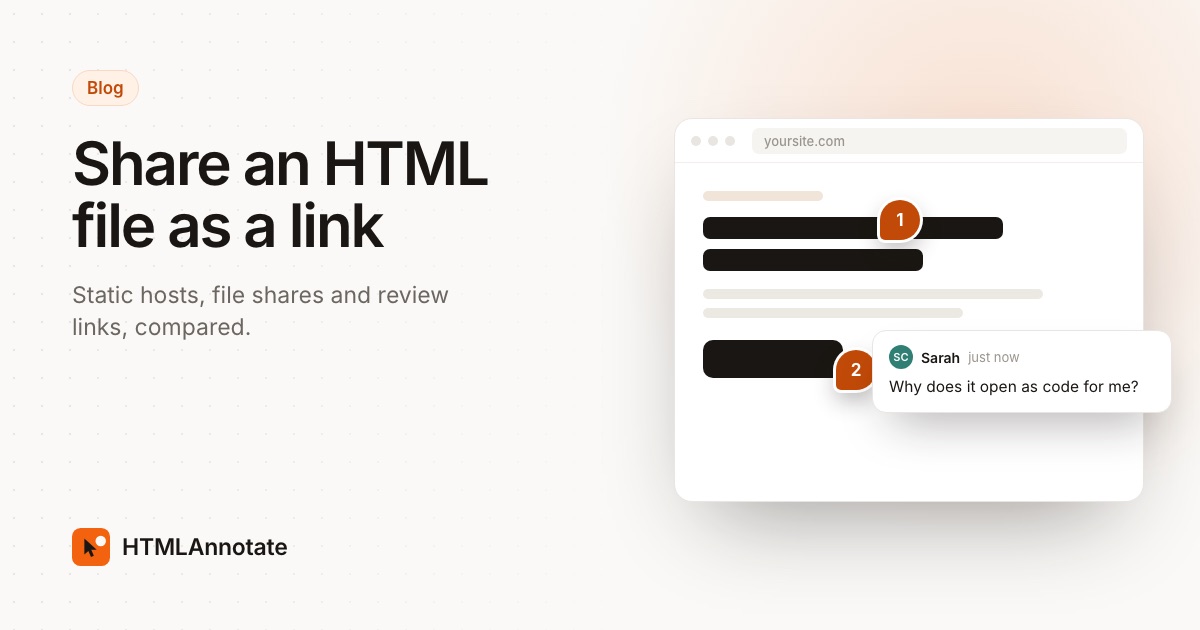
- If you want feedback, send a review link. The reviewer clicks the heading or button they mean and types a comment, and you get every note in one list. A plain hosted page only gives you an address, so the comments come back by email or chat and you match them to the page yourself.
Lots of people need both, one after the other: a review link while the page is being agreed, then a static host once it is signed off.
Why Google Drive, Dropbox and email attachments fall short
The obvious move is to drop the file in a cloud folder and copy the share link. It doesn't work for HTML. Google switched off web hosting in Google Drive in August 2016, and Dropbox's help centre says its shared links don't render HTML content in a web browser. The person you send it to sees code, or a download button.
An email attachment opens, but only from the reviewer's own computer. Anything the page loads from a separate file, such as a stylesheet, a script or a photo, will be missing unless you send those too and they keep them in the same folders. On a phone it is worse, because many mail apps show the file as text.
What you need is a service that serves the file as a web page, over https, at a public address.
Check the file before you upload it
Most broken shared pages fail for the same few reasons. Five minutes here saves a confused reply later.
Name the main page index.html
Static hosts look for a file called index.html at the top of the folder and show it when someone opens the address. GitHub's docs say Pages looks for it as the entry file. If your file is called landing-v3-final.html, either rename it or expect people to see an empty listing or a 404.
Fix paths that only work on your computer
Open the file in a text editor and search for src= and href=. A path that starts with C:\, /Users/ or file:// points at your own disk and will break for everyone else. Relative paths such as images/hero.jpg are fine, as long as you upload the images folder next to the HTML file in the same layout. Full web addresses starting with https:// work anywhere.
Single file or folder
Pages from Claude, ChatGPT and most AI chat tools arrive as one file with the CSS and JavaScript inside it, which is the easiest case. Exports from Lovable, Bolt, v0 or a designer's tool are often a folder of files, sometimes a project that has to be built first. For a project with a package.json, run its build command and upload the output folder, usually called dist, build or out. If an AI tool wrote the page and you need one file, you can ask it: "Put all the CSS, JavaScript and images into this one HTML file."
Open it once from a clean folder
Copy the file, or the folder, somewhere new and open it in your browser. If it looks right there, it will usually look right once it's hosted.
Route 1: Netlify Drop, for a public link in a minute
Netlify Drop is the shortest path from a file to a working address, and for a page that should stay public it is often the right answer. You don't need Git or a command line.
- Put your HTML file in a folder and make sure the main page is named
index.html. Add any images, CSS or script files in the same layout the page expects. - Sign in to Netlify, or create a free account. You can deploy without signing in, but Netlify then puts a temporary password on the address until you claim the site, which is awkward to explain to someone you just sent it to.
- Go to
app.netlify.com/dropand drag the folder, or a ZIP of it, onto the drop zone. - Wait a few seconds for the address ending in
netlify.app. Open it yourself in a private window to check it, then send it. - To update the page, open the site in your dashboard and drag the updated folder onto the deploy area under Production deploys. The address stays the same.
Netlify's free plan now runs on credits: 300 a month, with each production deploy costing 15 credits and bandwidth costing 20 credits per GB. That is plenty for a small page that gets updated now and then, but if you redeploy many times a day you will notice it.
Route 2: Cloudflare Pages or GitHub Pages, for a link that lasts
If the page will live for months, or you'll keep changing it, one of these is worth the extra few minutes of setup.
Cloudflare Pages
- Create a free Cloudflare account and open Workers & Pages in the dashboard.
- Choose Create application, then the option to drag and drop your files.
- Give the project a name. This becomes the address,
your-name.pages.dev. - Drag in the folder or a ZIP file, then deploy.
- For later versions, open the project and create a new deployment with the updated files.
Drag-and-drop uploads take up to 1,000 files, with each file up to 25 MiB, which covers nearly any page an AI tool or designer hands you.
GitHub Pages
- Create a GitHub account and a new public repository.
- Use Add file, then Upload files, to add your
index.htmland any other files, and commit them. - Open the repository's Settings, then Pages, and choose to publish from the main branch.
- Wait for the site at
https://your-username.github.io/repository-name/. GitHub says changes can take up to 10 minutes to appear.
GitHub Pages is free for public repositories, which means anyone can read your source files as well as see the page. Publishing from a private repository needs a paid plan, such as GitHub Team at $4 per user a month. GitHub also says Pages isn't meant to run an online business or handle sensitive transactions, so it suits portfolios, docs and prototypes better than a shop.
Vercel
Vercel is where v0 publishes, and its free Hobby plan is generous for static pages, with 100 GB of data transfer a month. It is built around Git repositories and its own command-line tool, so for a single loose HTML file the routes above take fewer steps. If your project already lives in v0 or on GitHub, it is a good fit, and our post on sharing v0, Lovable and Bolt prototypes covers publishing from those tools.
Quick-share services
Services such as Tiiny Host do one job: upload a file or ZIP, get a link. They are handy when you don't want a developer platform at all. Check the free limits before you rely on one; Tiiny Host's help centre lists 3 MB per project and 5,000 visits a month on its free plan.
Route 3: a review link, when the point is feedback
If you are sending the page to a client, a manager or a teammate so they can tell you what to change, hosting it is only half the job. You still need their comments, and "the second button looks off" in an email leaves you guessing which button.
A review link solves both parts. On HTMLAnnotate you upload the file at htmlannotate.com/new and get a review link to send and a private link for you to manage comments. The page runs with its own scripts, so menus and animations behave as they would on a real site. Reviewers enter their name and email once, then click any part of the page and type. They can switch between desktop, tablet and phone views, and each view keeps its own comments. You can reply, resolve, and press Copy for AI to paste every open comment into Claude, ChatGPT or Cursor and ask for the fixes.
There are limits worth knowing. Uploads are one HTML file (or a PDF) at a time, up to 1 MB on the Free plan and 10 MB on Pro and Team, so a multi-file export needs combining into one file first, or hosting on one of the routes above so you can paste its address. A review link is also the wrong tool for a page that should be public for good, since that is what a static host does best.
We've written the full process up separately, so we won't repeat it here: how to get feedback on an HTML file covers preparing the file, the brief to send with it, and sharing the next version on the same link. If Claude made the page, this guide to reviewing a Claude page covers that case. You can also try the reviewer's side first on the live demo.
Free plans and prices compared
Prices and limits checked 16 November 2026 on each company's own site. Prices are in US dollars.
| Option | Free plan | Takes a ZIP or folder | Paid from | Best for |
|---|---|---|---|---|
| Netlify Drop | 300 credits a month; a deploy uses 15, each GB of bandwidth 20 | Yes | $9 a month (Personal) | A public page in a minute |
| Cloudflare Pages | 500 builds a month, up to 20,000 files per site | Yes, up to 1,000 files by drag and drop | Free plan used in this guide | A page you'll keep updating |
| GitHub Pages | Public repositories, 1 GB site, 100 GB a month soft bandwidth limit | Upload files to a repository | $4 per user a month (Team) for private repositories | Portfolios, docs, open projects |
| Vercel | Hobby: 100 GB data transfer, 100 deployments a day | Through Git or its CLI | $20 a month (Pro) | Projects already in v0 or Git |
| Tiiny Host | 3 MB per project, 5,000 visits a month | Yes | See its pricing page | Quick one-off shares |
| HTMLAnnotate | 1 project, one HTML file up to 1 MB, links last up to 14 days | No, one HTML file or PDF | $12 a month billed yearly, or $15 monthly (Pro) | Collecting comments on the page |
See HTMLAnnotate pricing for what each plan includes.
Privacy, expiry and other things that catch people out
A public link is public
Anyone with a static host address can open it, and it can be forwarded without you knowing. Search engines can find it too if it gets linked from anywhere. Don't put client pricing, personal details or unreleased product names on a free static host unless you're happy for them to be seen. Vercel's Pro plan offers password protection for an extra $20 a month per project, and on Netlify a site dropped without signing in sits behind a temporary password until you claim it.
Know when the link stops working
Static hosts keep a site up until you delete it, as long as you stay inside the free plan's rules. Review and quick-share links often have a shelf life. An HTMLAnnotate link made without an account lasts 1 day, a free account keeps it up to 14 days, and Pro and Team links don't expire. If a client might open your link next week, check before you send it.
Forms and logins won't behave like the real site
An AI-made page often has a contact form or a sign-up box that points nowhere. On a static host it will fail quietly or show an error. On an HTMLAnnotate review copy, forms don't submit at all, by design. Tell reviewers which parts are placeholders.
Updates should keep the same address
Every route here lets you replace the page and keep the link, as long as you update the existing site and don't create a new one. A new upload with a new address means everyone has an old link in their inbox.
Check on a phone before you send
Many people will open your link on a phone first. Open it on yours, or in a narrow browser window, and fix anything that spills off the side. Our guide to reviewing AI-generated HTML has a fuller list of what to look for.
Questions
What is the fastest way to share an HTML file as a link?
Netlify Drop. Put the file in a folder, name it index.html, and drag the folder onto app.netlify.com/drop. You get a netlify.app address in seconds. If you didn't sign in, that address is behind a temporary password until you claim the site with a free account.
Can I share an HTML file through Google Drive or Dropbox?
Not as a working page. Google turned off web hosting in Drive in 2016, and Dropbox's help centre says shared links don't render HTML in a browser. The person gets the code or a download.
Why are images missing when someone else opens my page?
The page points to files on your computer, usually with paths like images/photo.jpg or C:/Users/... Upload the images along with the HTML in the same folder layout, or switch to full web addresses or embedded images, and the page will look the same everywhere.
Is a static host link private?
Mostly no. Anyone who has the address can open it, and you can't easily see who did. Free GitHub Pages sites come from public repositories, so the source files are public too. If the page holds anything confidential, use a host with password protection or a link that expires.
How do I share a website that has several files?
Keep the files in one folder with the main page named index.html, then upload the whole folder or a ZIP of it. Netlify Drop and Cloudflare Pages both accept a ZIP. A review tool that takes one file at a time needs the page combined into a single HTML file first.
Do links to an HTML file expire?
Static hosts keep the site up until you delete it, within their free plan rules. Review and quick-share links often expire: an HTMLAnnotate link lasts 1 day without an account, up to 14 days with a free account, and has no expiry on Pro and Team.
How do I get comments on the page once it's shared?
Send a review link, so people click the part of the page they mean and type a note. Our guide to getting feedback on an HTML file walks through it step by step.
Upload your HTML file and get a review link people can comment on. Free, and reviewers need no account.
Start a free review