How copywriters can get website copy approved in context
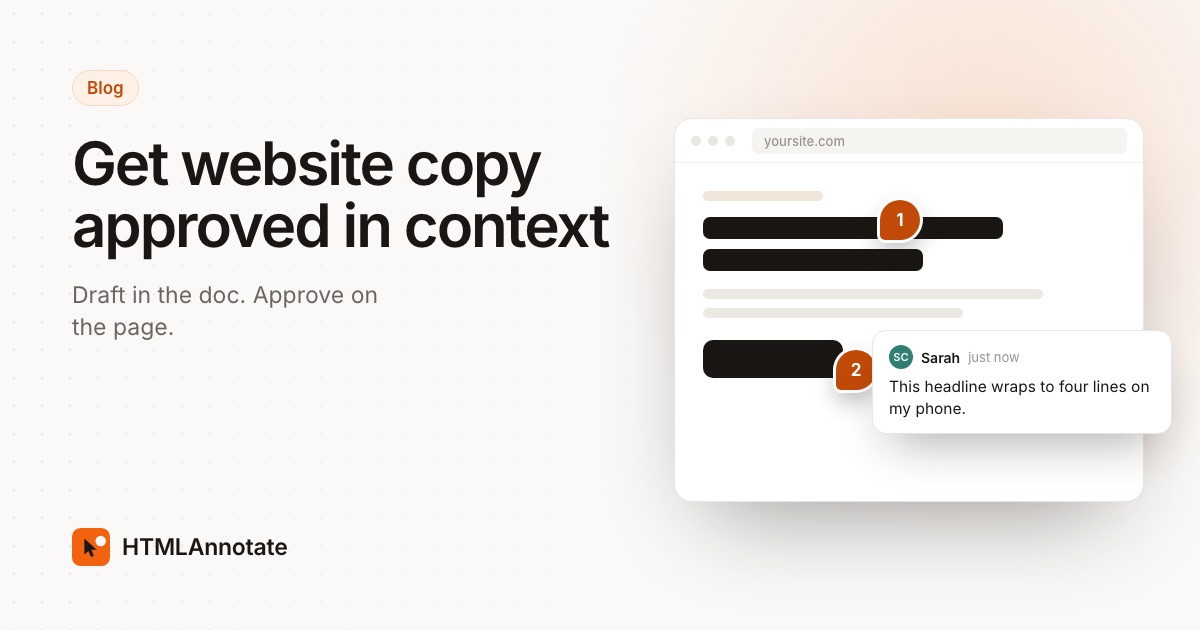
Copy that reads well in a Google Doc can fall apart once it meets the layout. The headline wraps onto four lines on a phone, the button label breaks in two, and a line that felt warm in the doc sounds flat next to the photo. This guide sets out a website copy review process for copywriters and content leads in agencies: draft in the doc, approve on the page.
What goes wrong when copy is only approved in a doc
A doc shows words in a long, even column. A website puts them in boxes of fixed width, next to images, inside buttons and cards, on screens from a wide monitor down to a phone. The client approves one thing and then sees another. These are the surprises that come up most often:
| In the doc | On the page |
|---|---|
| A strong ten-word headline | Wraps to four or five lines on a phone and pushes the button below the fold |
| "Book your free consultation today" | Too long for the button, so it breaks onto two lines or gets cut down by the developer |
| Three feature descriptions of different lengths | Cards of uneven height, or text cut off with "..." in a fixed card |
| A line break chosen for rhythm | A single word left alone on the last line, or a break in the wrong place |
| A playful line that reads well on its own | Sits under a serious photo and sounds off, or repeats what the image already says |
| Copy for the page you planned | Missing for states nobody wrote: empty search results, form errors, the thank-you message |
None of this means the doc is the wrong tool. It means the doc can't answer the questions a page raises. When those questions come up after sign-off, every fix feels like rework and the copywriter ends up defending text that was already approved.
A copy review process in five steps
The idea is simple: the doc is for drafting, the page is for approving. Here is how to run it.
1. Draft and agree the message in the doc
Write the first draft in whatever doc your team uses and collect feedback on the big things there: what each page says, in what order, and the key messages. This is where comments and suggested changes in a doc work well, because nobody is yet looking at line lengths. Flag any copy that has a hard limit, such as a button or a card title, so the designer knows early.
Don't ask for final approval at this stage. Ask the client to approve the message and structure, and say plainly that wording will be signed off on the page.
2. Agree who decides what
Copy draws more opinions than almost anything else on a site, so settle the owners before the first round on the page:
- Tone and wording: the copywriter or content lead, with the client's main contact.
- Legal and compliance: the client's legal reviewer, for claims, pricing terms, guarantees and required wording.
- Brand terms: the brand owner, for product names, capitalisation and words the brand avoids.
- Final sign-off: one named person at the client.
When a marketing comment and a legal comment disagree, the owner list settles it without another meeting. Our guide to website feedback with many stakeholders covers ordering reviewers so they don't undo each other.
3. Move the review to the real page
Once the copy is in the design or on a staging link, send a review link to the page itself. In HTMLAnnotate you paste the page's address and share the link. Reviewers click any heading, button or paragraph to leave a comment pinned to it, with no account.
Ask reviewers to suggest the exact words, not only that something is wrong. With suggested text edits, the reviewer's new wording previews in place on the page, so everyone sees how it fits the layout before anyone changes the site. A suggested headline that wraps badly on a phone is obvious straight away. Labels help too: tag comments as tone, legal or brand so each owner can find theirs.
Point reviewers to our short guide on how to give useful website feedback. Its advice on writing the new words, rather than describing the problem, matters most for copy.
4. Run short rounds and check every view
Treat copy like any other review: all comments in one place, collected together, then answered in one go. Two rounds on the page is a common starting point. The first round is for wording that changes the meaning. The second is for small fixes and final checks. If the message keeps changing on the page, stop and take it back to the doc. See how many revision rounds a website project should include for wording you can put in the proposal.
Ask at least one reviewer to go through the phone view. HTMLAnnotate keeps desktop, tablet and phone comments apart, so a note about a headline that is too long on a phone doesn't get mixed up with the desktop layout.
Between rounds, reply to each comment, make the changes and resolve it. Then publish the next version on the same review link, so the client opens the link they already have. Earlier versions keep their comments, which helps when someone asks why a line changed.
5. Approve a specific version
When the copy is right, ask the client's sign-off owner to approve that version on the page. In HTMLAnnotate, reviewers approve a specific version and you are emailed straight away. That approval is attached to the words as they appear in the layout, not to a doc that may have drifted from the site. Our guide to client website approval goes through sign-off in more detail.
If a developer or an AI coding tool is making the changes, Copy for AI turns open comments into a brief, including each suggested text and where it sits on the page, so wording goes in exactly as approved.
What to check on the page
Send this list with the review link, or work through it yourself before the client sees the page:
- Headline length on a phone. Does the main headline fit in two or three lines, with the button still visible without scrolling far?
- Button labels. Short, a verb first, on one line in every view. "Book a call" usually fits where "Book your free consultation today" doesn't.
- Line breaks. No single word left alone on a line in headings, and no break that splits a name or a price.
- Cards and lists. Text of similar length across cards, nothing cut off with "...", and no card much taller than its neighbours.
- Copy next to images. Does each line still sound right beside its photo? Does it add something the image doesn't already say?
- Empty and error states. Empty search results, form errors, the thank-you message after a form, and the 404 page all need written copy, not draft text left by the developer.
- Navigation and footer. Menu labels short enough for the phone menu, and footer links that use the same names as the pages.
- Meta title and description. These show in search results and link previews, not on the page, so reviewers will miss them. Paste them into a comment or a short list for the client to approve. Keep titles to around 50 to 60 characters and descriptions to around 150.
Using it on a redesign or a concept
The same process works earlier in a project. If you show concepts as live pages rather than static mockups, write real draft copy into them instead of filler text, so the client reacts to words and layout together. Our post on presenting website concepts as live pages explains how to set that up.
Questions
Why not just approve website copy in a Google Doc?
The doc is a good place to write and agree the message, but it can't show how the words sit in the layout. Headline length on a phone, button labels, text cut off in cards and the way a line reads next to an image only show up on the page. Approving in the doc means those problems surface after sign-off, when changes feel like rework.
When should copy move from the doc to the page?
As soon as the copy is in a design or on a staging link. Keep big questions about the message in the doc, then move the final approval to the page so the client signs off on what visitors will actually see.
Who should approve tone, legal wording and brand terms?
Give each one an owner. The copywriter or content lead decides tone, the client's legal reviewer decides claims and required wording, and the brand owner decides product names and terms. Agree this before the first round, so conflicting comments have someone to settle them.
How do reviewers suggest wording on a live page?
In HTMLAnnotate, a reviewer clicks the heading, button or paragraph and suggests the new text. The suggestion previews in place on the page, so everyone sees how it fits before anyone changes the site.
How many rounds does copy review need?
Two rounds on the page is a common starting point: one for wording that changes the meaning, and one for final fixes. If the message keeps changing on the page, take it back to the doc and settle it there first.
Do I need to check meta titles and descriptions too?
Yes. They are copy too, and they appear in search results and link previews where nobody on the page will see them. Paste them into a comment or a short list for the client to approve along with the page.
Run your next copy review on the real page. Reviewers click any line to suggest new wording, with no account.
Start a free review