People and roles
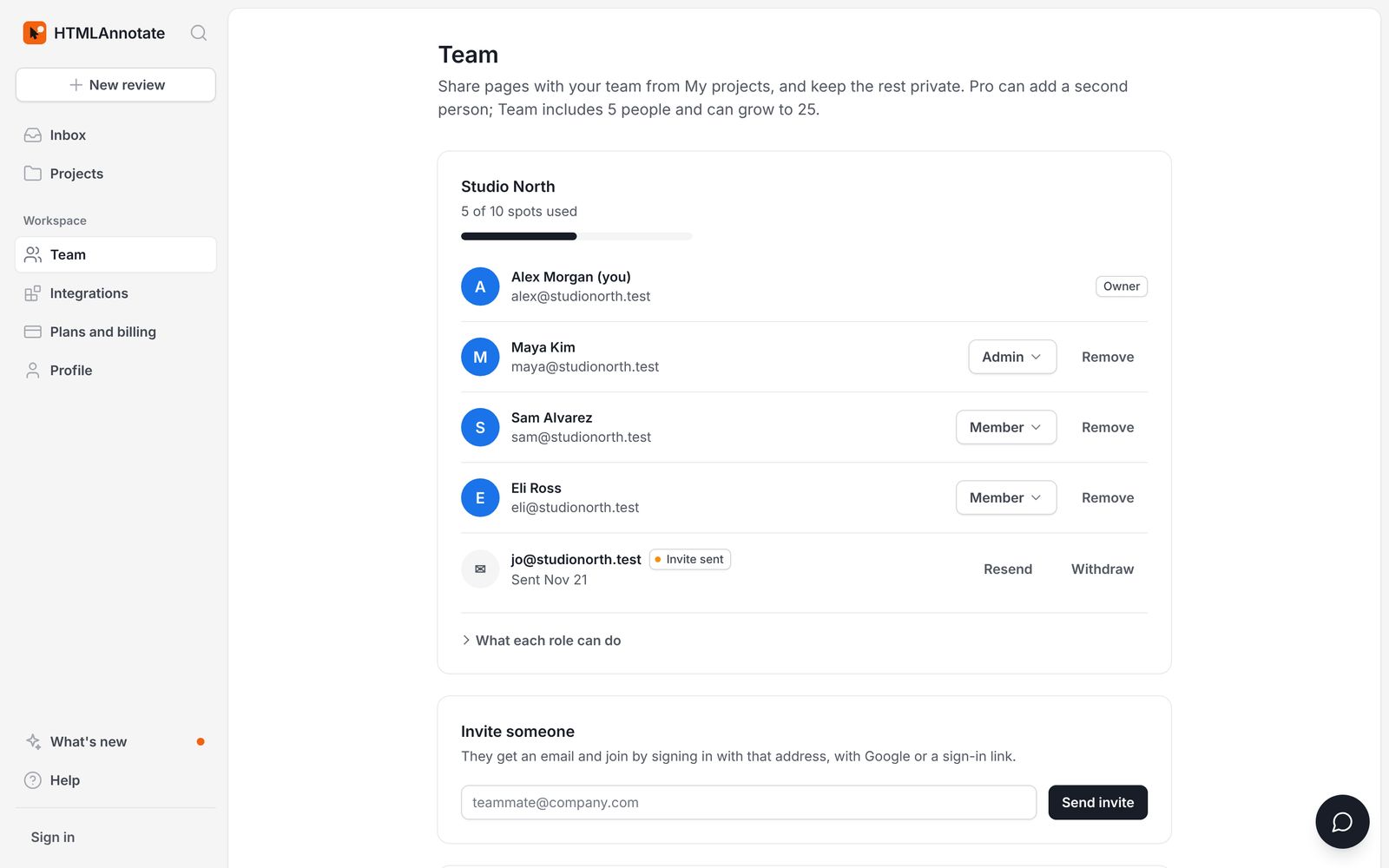
Teammates share pages, see the team's projects and can comment as part of your team. Reviewers are different: they only need the review link.
Invite a teammate#
Open Team in the sidebar.
Invite people by email. Only the owner and admins can invite.
They get an email and join by signing in with that address, with Google or an email code.
Roles#
| Role | What they can do |
|---|---|
| Owner | Everything an admin can do, plus changing roles, renaming the team and deleting it. Each team has one owner. |
| Admin | Everything a member can do, plus inviting people, resending or withdrawing invites, and removing members. |
| Member | Shares their own pages with the team, and sees and comments on every page the team shares. |
Reviewers don't need a role. Anyone with a review link can comment, without an account or a team spot.
Team projects#
New projects are private (Only me). Switch on Shared with team in a project's Settings and it shows in everyone's Projects, marked with who shared it. Teammates can then reply, resolve, assign comments and post Team only comments on it.
How many people#
| Plan | People |
|---|---|
| Pro | 1, or 2 with a second person ($5 a month, $4 yearly) |
| Team | 5 included, up to 25 ($5 a month for each extra, $4 yearly) |
Change the number of people from Plans and billing.
Written by the HTMLAnnotate team · Updated 23 November 2026 · View as Markdown · Something unclear? Tell us