Copy for AI
Built the page with AI? Copy for AI turns every open comment into one tidy brief, with each note tied to its element, ready to paste into your AI tool.
Copy the brief#
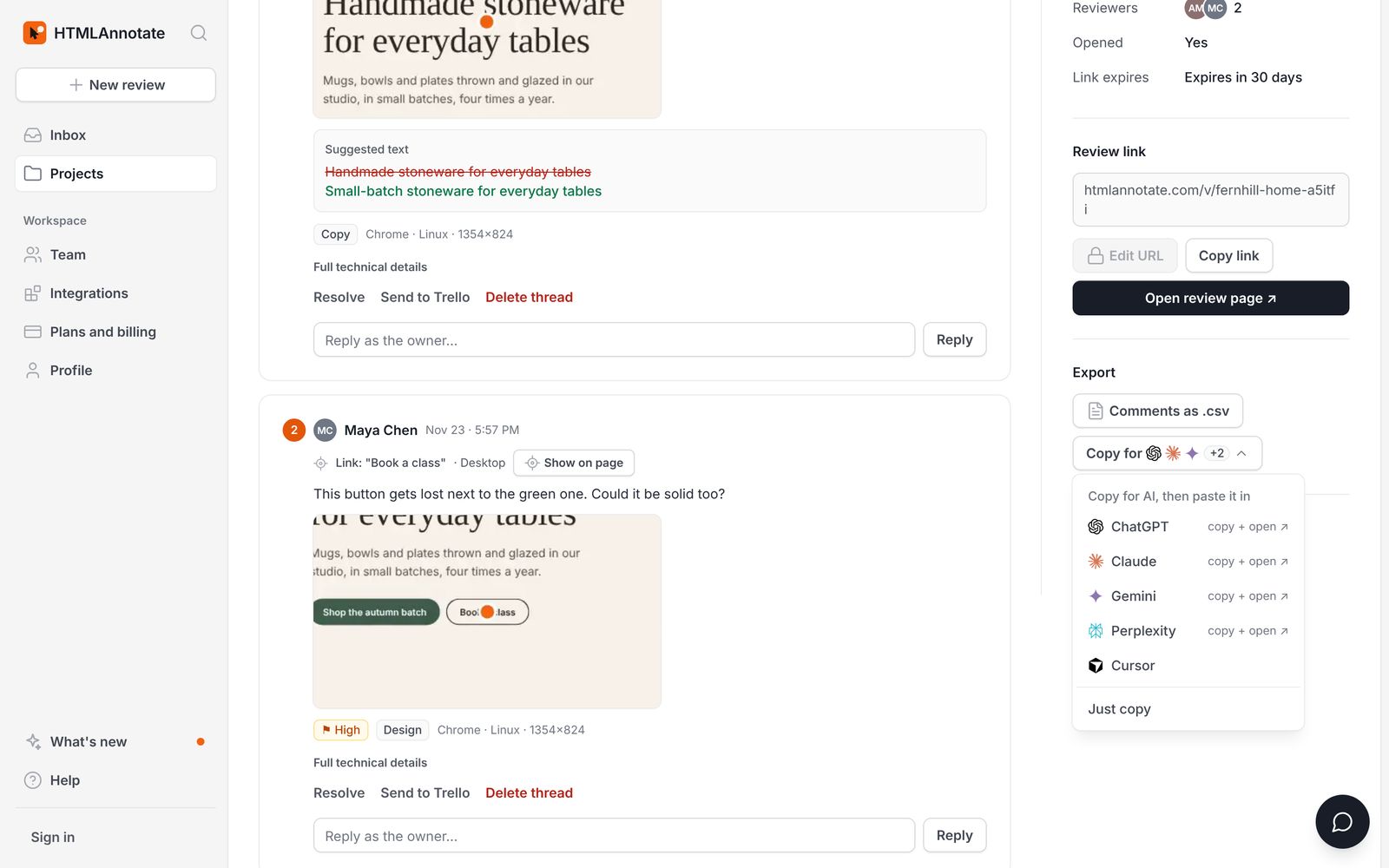
Open the project. In the Details column, under Export, press Copy for.
Pick ChatGPT, Claude, Gemini or Perplexity to copy the brief and open that tool in a new tab, or Cursor or Just copy to only copy it.
Paste it into the chat and ask for the changes.
What's in the brief#
A heading with the page name and review link, a line asking for the changes, then one numbered item per open comment:
# Review feedback: fernhill-home.html
Review link: https://htmlannotate.com/v/fernhill-home

Please make the changes below. Each item names the element it is about (with a CSS selector), the screen size it was left on, and the page path. 2 open comments.

## 1. Desktop · heading "Handmade stoneware"
Selector: main > section.hero > h1
Comment (Maya Chen): Can we say small-batch instead of handmade?
Screenshot of what they saw (orange dot = where they clicked): https://…/shot
Change the text from: "Handmade stoneware"
To: "Small-batch stoneware"

## 2. Mobile · button "Book a class"
Selector: .classes a.btn
Comment (Maya Chen): The button text wraps onto two lines on my phone.
Priority: high
Labels: Bug
Each item can also carry technical details (browser, screen size, page errors), priority, status, assignee, labels and replies. Accepted text suggestions are marked as approved, so the AI uses the exact wording.
Copy for AI or the MCP server?#
| Copy for AI | MCP server | |
|---|---|---|
| Set-up | None | Add the connector once |
| Works with | Any AI chat | Apps that support MCP |
| Publishing the fix | You upload the new version | The AI publishes it with update_page |
| Resolving comments | You resolve them | The AI resolves each one |
The health check has its own copy button too: Copy for on the Page health check tab. To let your AI do the whole loop itself, see Fix all open comments.
Written by the HTMLAnnotate team · Updated 23 November 2026 · View as Markdown · Something unclear? Tell us