Feedback due dates
Tell reviewers when you need their feedback. They see the date on the page, get one reminder the day before, and you get a summary on the day.
Set a due date#
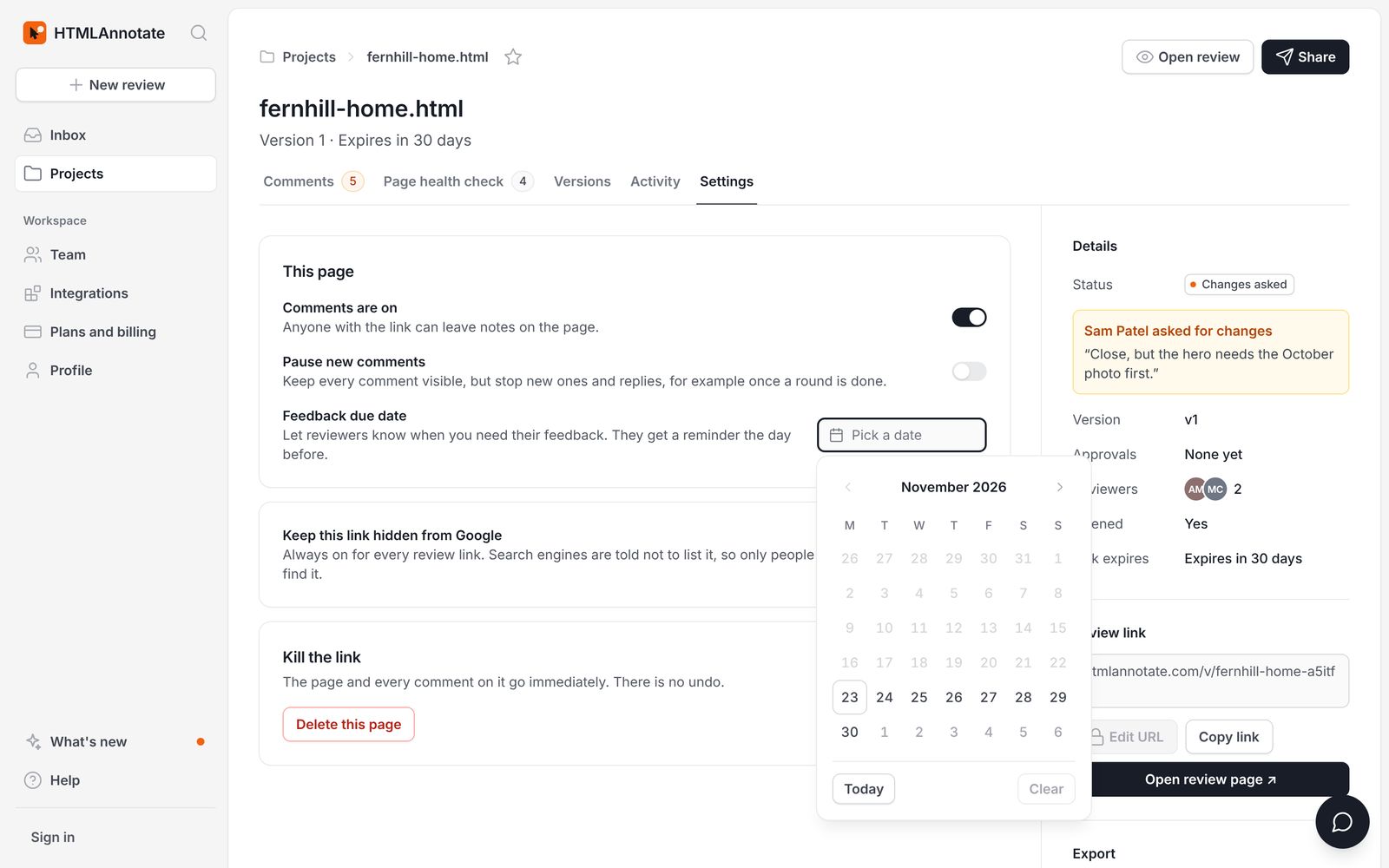
Open the project and choose the Settings tab.
Next to Feedback due date, press Pick a date and choose the day. Any day up to a year ahead works.
It saves straight away. Press Remove to clear it.
What happens next#
| When | Who | What |
|---|---|---|
| Straight away | Reviewers | The date shows on the review page, like Feedback due Fri, 28 Nov. |
| The day before | People who reviewed the page and haven't approved this version | One reminder email. |
| When the day ends | You | A summary: comments, open comments and approvals so far. |
Feedback is due by the end of that day in your own time zone. After it passes, the page says Feedback was due, and reviewers can still comment.
Reminders only go to people whose email address has been confirmed, and only once per page.
Written by the HTMLAnnotate team · Updated 23 November 2026 · View as Markdown · Something unclear? Tell us