Page health check
Every page you share gets a free check for the things that are easy to miss before launch. Each problem has a Show on website button that takes you straight to it.
Where to find it#
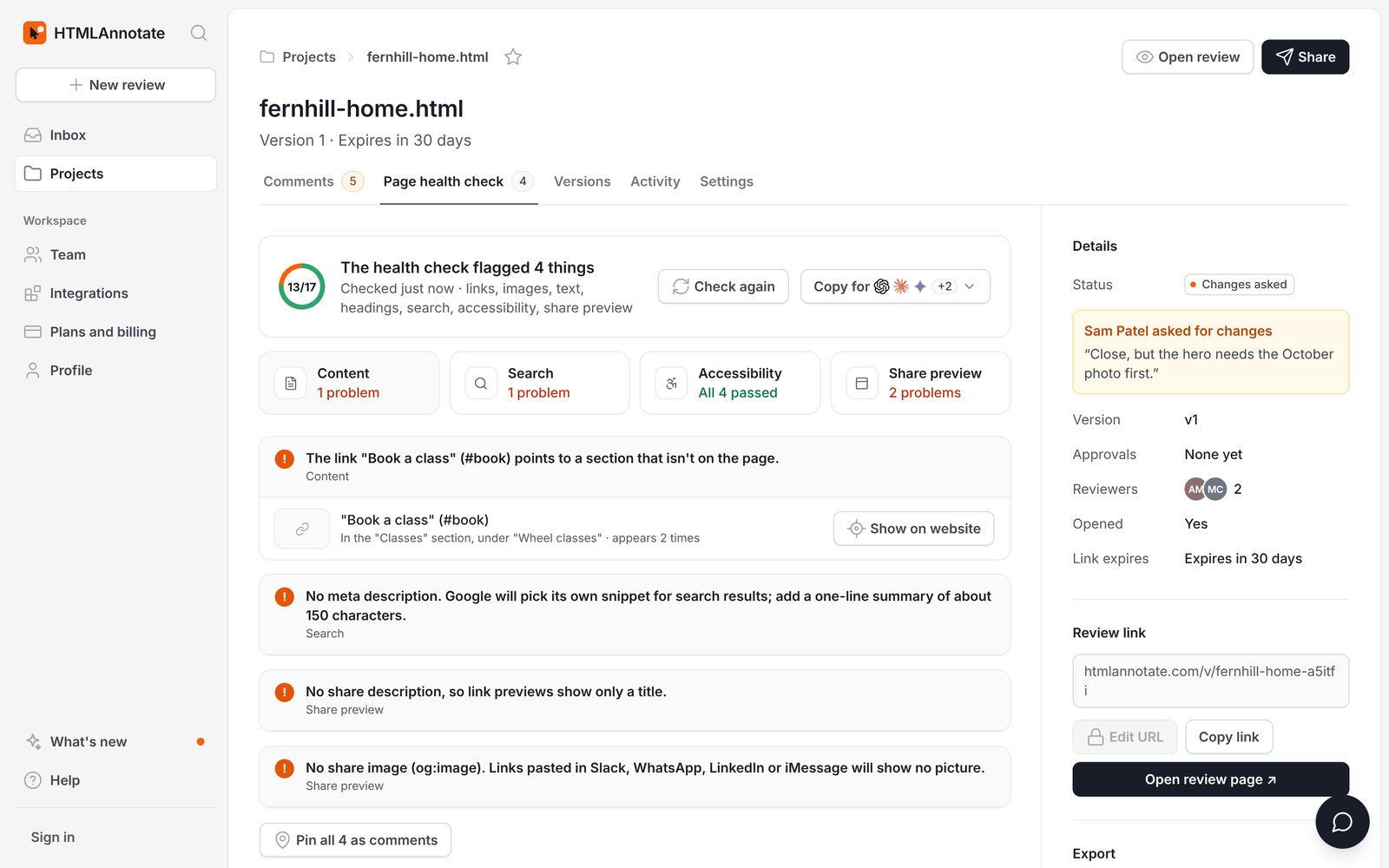
Open the project and choose Page health check. The tab shows a score and every problem it found, grouped into Content, Search, Accessibility and Share preview. You also get an email, but only if something needs a look.
The 17 checks#
| Group | Checks |
|---|---|
| Content | Every link goes somewhere · No broken links to other sites · Images have a description (alt text) · No leftover filler text · One main heading (h1) |
| Search | Has a page title · Page title fits in search results · Has a meta description · Meta description is a good length · Google is allowed to show the page |
| Accessibility | Page language is set · Every link has words a screen reader can read · Every button has a name · Form fields have labels |
| Share preview | Has a share title · Has a share description · Has a share image |
Show on website#
Press Show on website next to any problem. Your page opens, scrolls to the image, link or heading and outlines it in orange, even if it only appears in one view. A panel lists every problem on the page, and Next problem steps through them.
Hand the problems to an AI#
Copy for on the health check copies every problem as a brief for ChatGPT, Claude, Gemini, Perplexity or Cursor, like Copy for AI does for comments. Pin all as comments opens your page with every problem pinned where it is, next to your reviewers' comments. Check again runs a fresh check after you change the page.
What each plan shows#
| Plan | Report |
|---|---|
| Free | The Content checks in full, and totals for Search, Accessibility and Share preview |
| Pro and Team | All 17 checks in full |
The check runs on web pages and HTML files. PDFs don't have a health check.
Written by the HTMLAnnotate team · Updated 23 November 2026 · View as Markdown · Something unclear? Tell us