Page settings
Each project's Settings tab controls who can comment and when, plus team sharing, archiving and deleting.
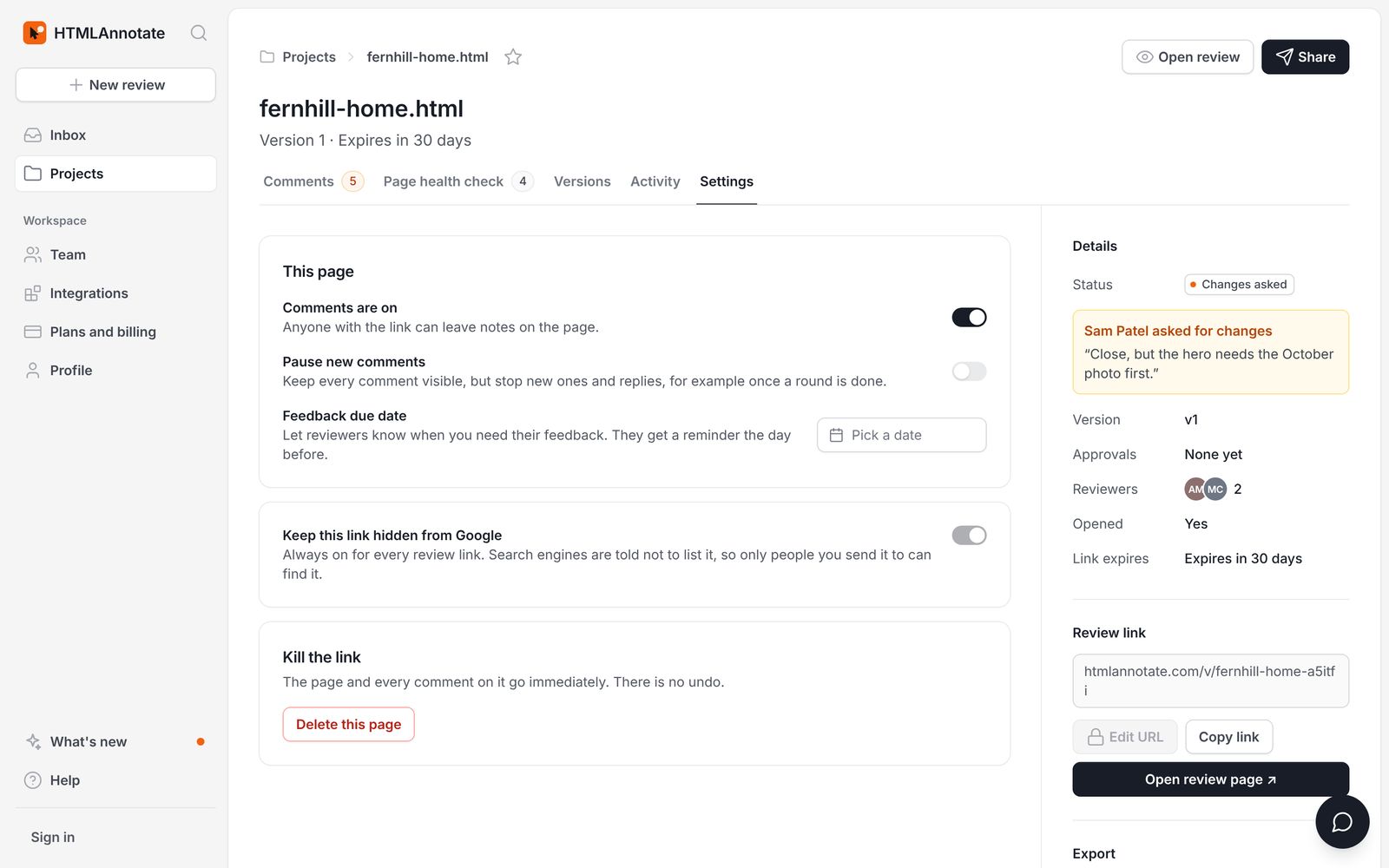
| Setting | What it does |
|---|---|
| Comments are on | Switch it off and the page opens as a plain copy, with no comment bar. Existing comments are kept. |
| Pause new comments | Every comment stays visible, but reviewers can't add new ones or reply. You and your team still can. Good for when a round is done and you're making changes. |
| Feedback due date | Reviewers see the date and get a reminder the day before. See Feedback due dates. |
| Only me or Shared with team | On a team, choose whether the project shows in your teammates' Projects. |
| Keep this link hidden from Google | Always on. Search engines are told not to list review links, so only people you send it to can find it. |
| Archive | Pro and Team. Turns the link off and keeps everything. See Archive. |
| Delete | Removes the page and its comments for good. |
Other places to change a page#
- Edit URL in the Details column renames the review link on Pro and Team. See Custom link names.
- The Versions tab publishes, names and restores versions.
- Your AI tool can set the due date, pause comments and rename the page with update_page_settings.
Written by the HTMLAnnotate team · Updated 23 November 2026 · View as Markdown · Something unclear? Tell us