Commenting on a phone
Clients often open review links from an email on their phone. On a touch screen, a tap selects what you mean first, so a stray tap while scrolling never opens a comment box.
Leave a comment on a phone#
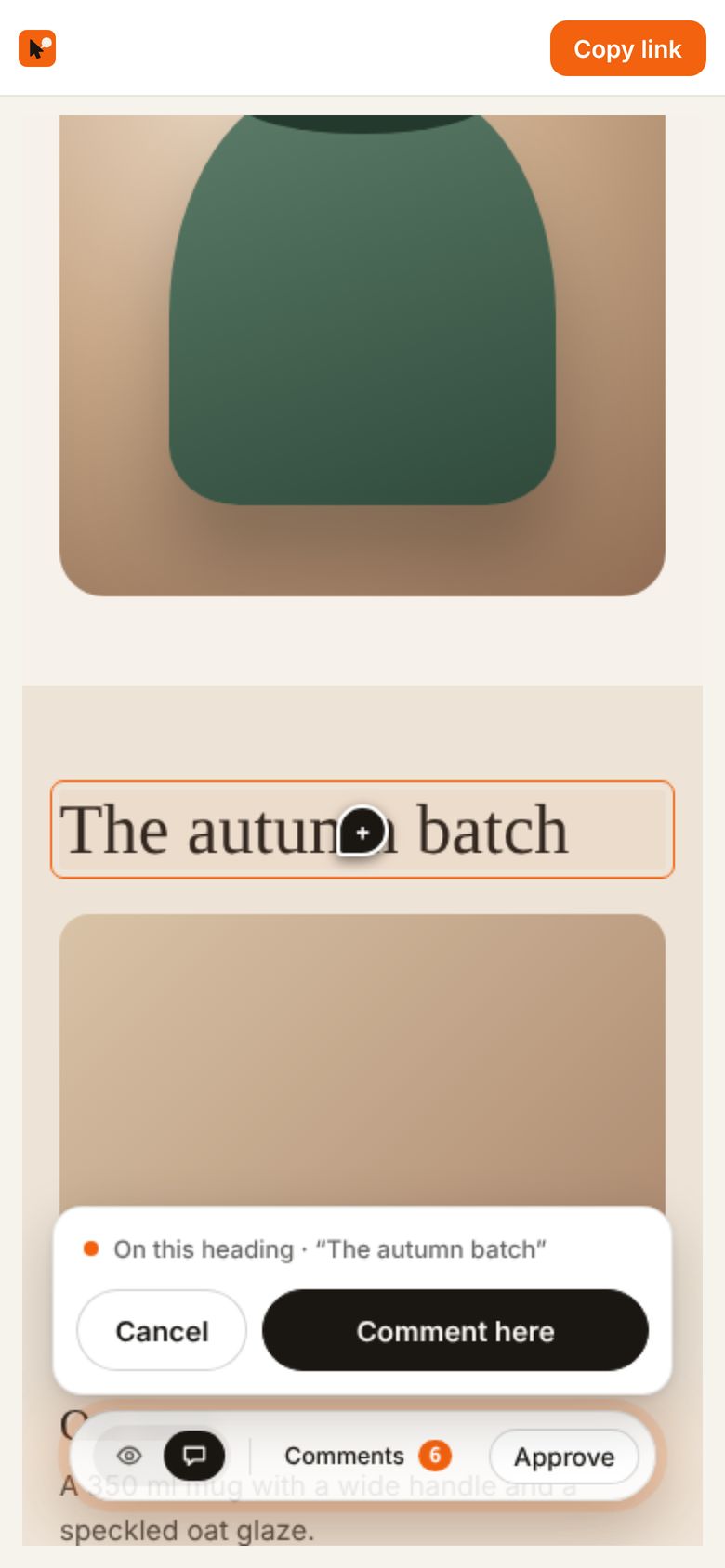
Open the review link and tap Comment in the bar at the bottom.
Tap the thing you want to comment on. It gets an outline and a draft pin drops where you tapped.
Not quite the right spot? Drag the pin, or tap somewhere else to move the selection.
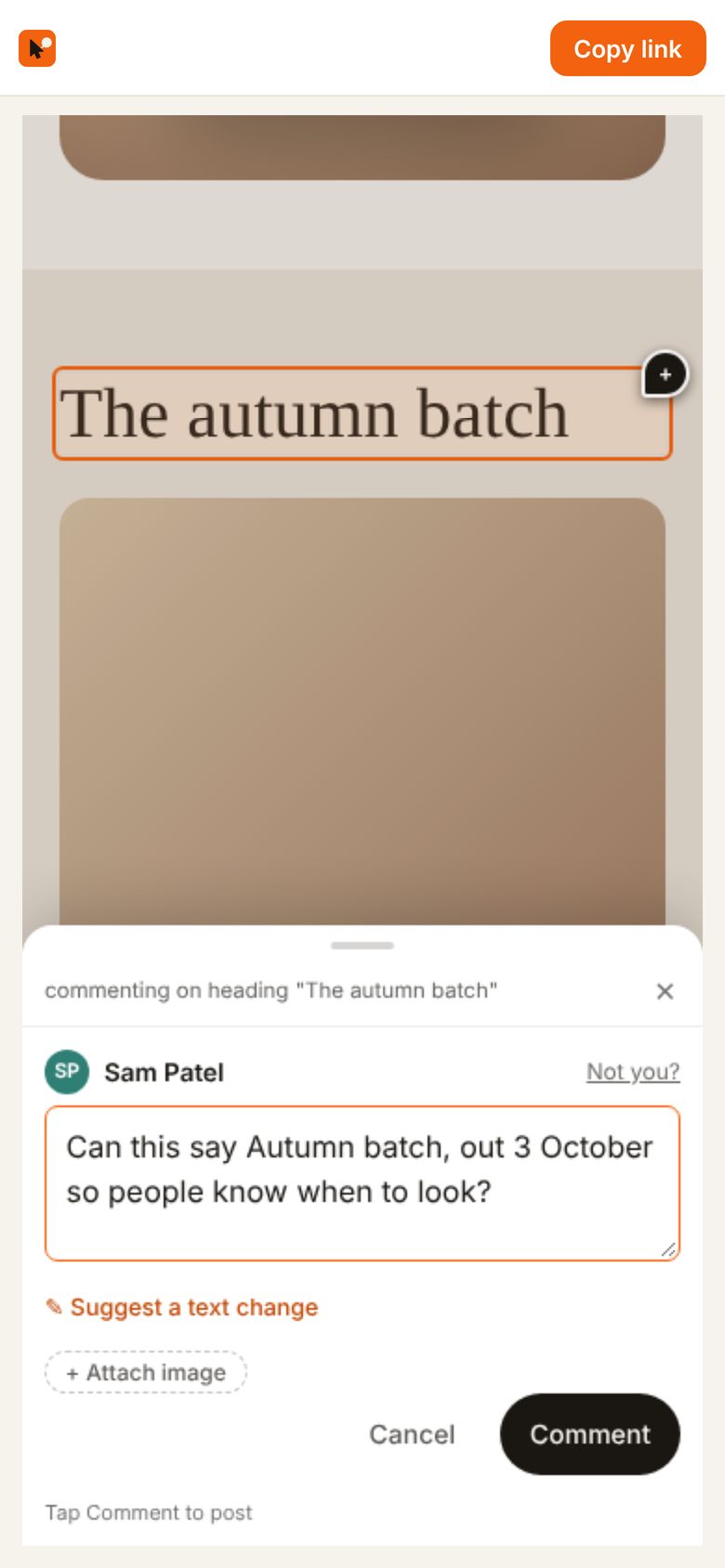
Press Comment here just above the bottom bar. The comment box opens.
Type your note and tap Comment.
Things that won't start a comment#
- A touch that moved, like a scroll or a swipe.
- A two-finger touch, like a pinch to zoom.
- A tap that lands while the page is still scrolling.
To clear a selection, tap it again, press Cancel, or switch back to Browse.
Approving from a phone#
Approve sits in the bar at the bottom of the screen on a phone, next to the comments count. The first time, reviewers type their name so you know who signed off.
Comments left on a phone go to the Phone view, so you can see exactly what your client saw. Desktop comments stay on desktop.
Written by the HTMLAnnotate team · Updated 23 November 2026 · View as Markdown · Something unclear? Tell us