Suggested text changes
Instead of describing a wording change, reviewers can type the new words. You see the old and new text side by side and can preview it on the page.
Suggest new wording#
In Comment mode, click the text you want to change.
Press Suggest a text change in the comment box.
Edit the words. A note explaining why is optional.
Post it.
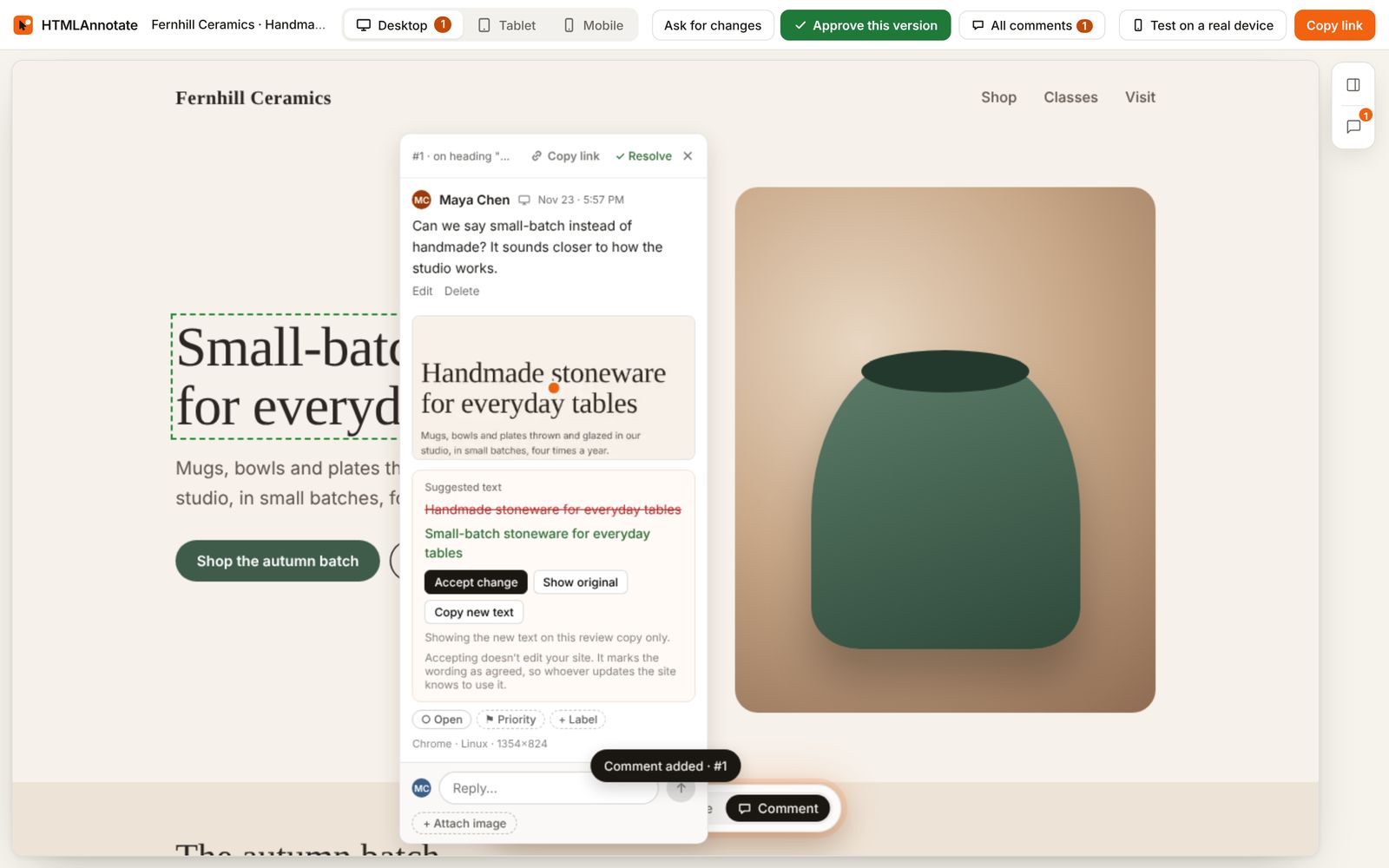
Working with a suggestion#
- Preview on page swaps the new words into the review copy so you can see how they fit. Show original switches back.
- Accept change marks the wording as agreed. It doesn't edit your site: it tells whoever updates the page to use these words. The comment stays open until the change is made.
- Copy new text copies the new words, ready to paste into your site builder.
Accepted suggestions are labelled in Copy for AI and in what the MCP server returns, so an AI tool knows the exact wording to use.
Written by the HTMLAnnotate team · Updated 23 November 2026 · View as Markdown · Something unclear? Tell us